
Riverside pricing looks simple until you notice that each plan is really selling a different workflow. Pro is for recording and publishing a polished podcast. Grow adds live streaming and audience-growth tools. Webinar adds registrations, lead capture and event analytics. Business is a production-management plan rather than a more generous creator subscription.
Last fact-checked: August 17, 2026. Prices below are in USD and were checked against Riverside’s official pricing page. Taxes, regional pricing and temporary promotions may change the checkout total.
Riverside pricing overview for 2026
Riverside currently has five tiers: Free, Pro, Grow, Webinar and Business. The advertised annual price is a monthly equivalent, but the full year is charged upfront. Pro therefore costs $288 at checkout on annual billing, not $24 paid one month at a time.
| Plan | Monthly billing | Annual billing | Separate-track downloads | Best for |
|---|---|---|---|---|
| Free | $0 | $0 | 2 hours, one time | Testing the full workflow |
| Pro Best for most creators | $29/month | $24/month equivalent $288 upfront | 15 hours/month | Podcasts and polished recorded video |
| Grow | $39/month | $34/month equivalent $408 upfront | 20 hours/month | Livestreaming and two content brands |
| Webinar | $99/month | $79/month equivalent $948 upfront | 25 hours/month | Lead-generation webinars |
| Business | Custom | Custom | Unlimited | Production teams and enterprise controls |
The plan names matter because older Riverside pricing articles still mention Standard or Live. Those are not the current self-serve tiers shown on Riverside’s official 2026 pricing page. If a comparison quotes old plan names or $19 pricing, check its date before using it to budget.
Riverside Free: useful test account, limited production plan
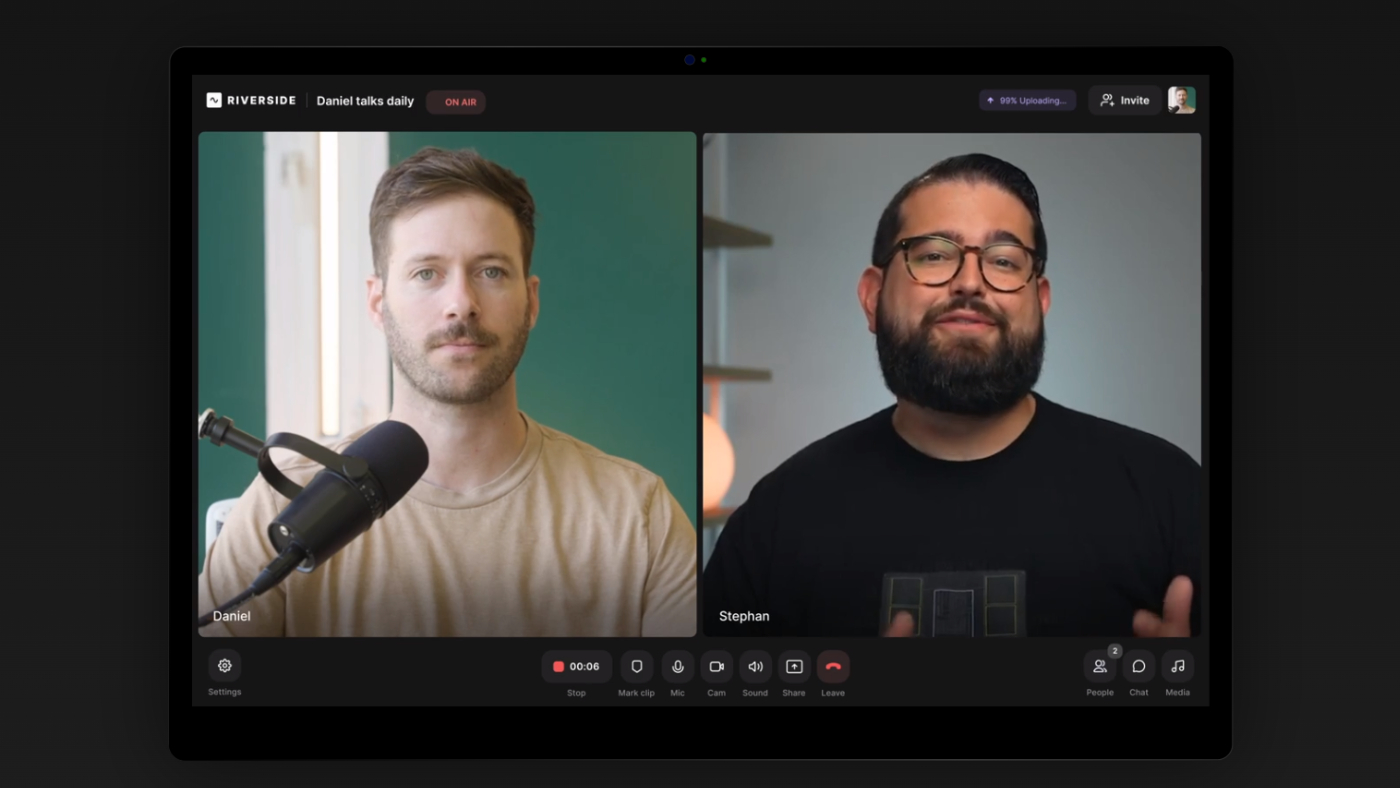
Free costs nothing and does not expire. You can record and edit without a general time limit, invite up to ten recorded participants and use Riverside’s editor. The trade-offs are 720p desktop video, 44.1 kHz audio, Riverside branding on combined exports and only two total hours of separate high-quality track downloads.
That two-hour allowance is one-time, not monthly. It also applies to the duration of the recording rather than multiplying by the number of guests. A one-hour interview with four people consumes one hour of the allowance, not four.
I would use Free to run a technical rehearsal, test a guest’s joining experience and export a sample episode. I would not build a client podcast around it. The watermark and loss of separate-track access become expensive problems once a real episode is already recorded. For the detailed explanation, read Is Riverside Free?.
Riverside Pro: the value tier for podcasters
Pro pricing
$29 month-to-month or $24/month billed as $288 annually
Includes one studio, 15 hours of separate-track downloads per month, up to 4K desktop video, up to 1080p mobile recording, 48 kHz audio, watermark removal and podcast hosting for one show.
Pro fixes nearly every limitation that makes Free unsuitable for regular publishing. You get clean exports, higher-resolution source files, speaker-aware transcription, Magic Audio, eye-contact correction, show notes and unlimited transcription. Riverside also includes its text-based and multitrack editor, AI Co-Creator and Magic Clips.
The 15-hour track allowance is generous for a weekly interview show. Four 90-minute sessions use six hours, leaving room for retakes and bonus recordings. It becomes restrictive only if you produce multiple long shows, record full-day sessions or routinely download many hours of raw footage.
Pro also includes hosting and distribution for one podcast. That can replace a separate podcast host for a new show, although I would still compare analytics, migration and ownership workflow before moving an established RSS feed.
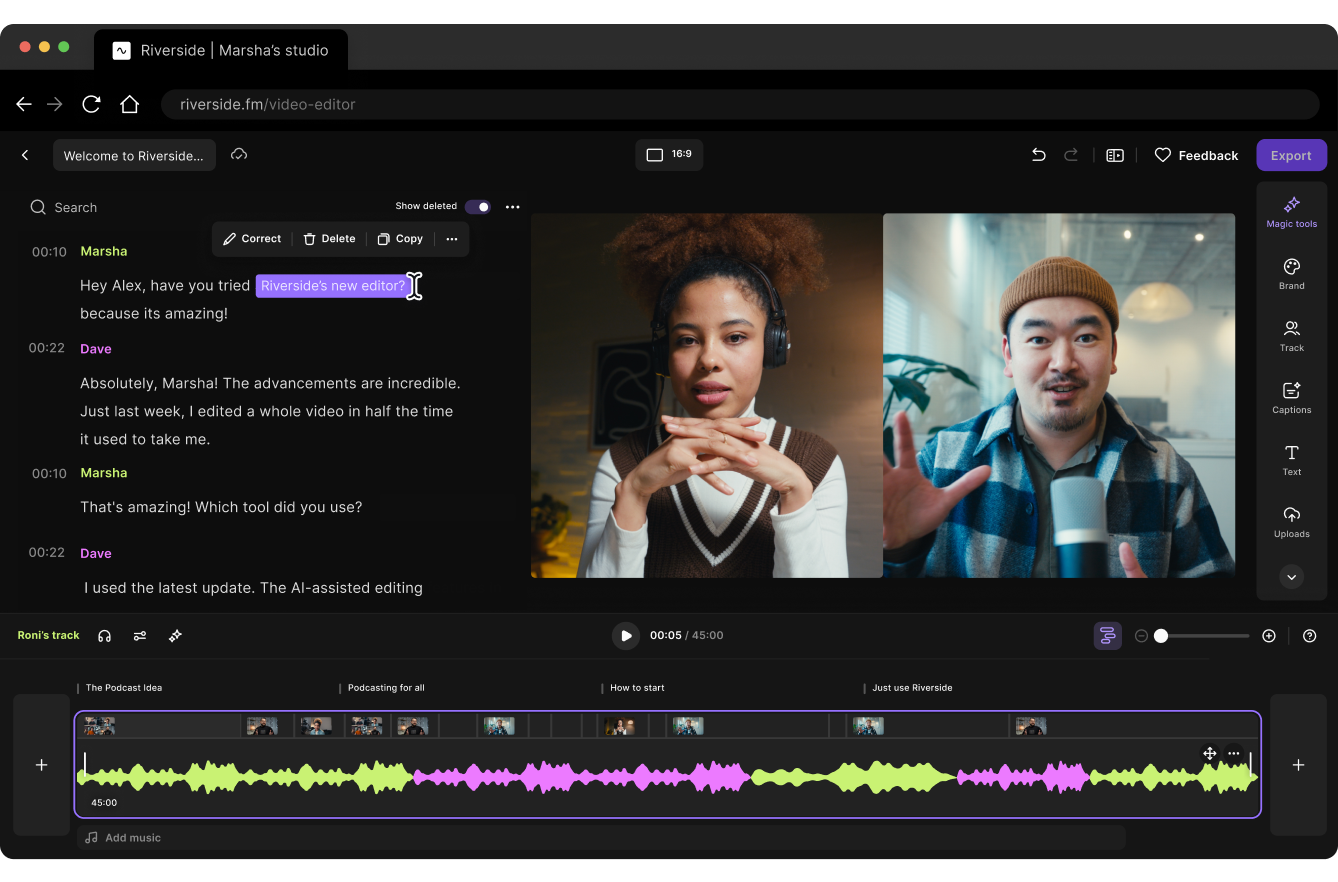
If you are still deciding whether Riverside is the right recorder at all, start with my full Riverside review. If post-production matters more than remote capture, compare Descript vs Riverside.
Riverside Grow: pay for distribution, not better recordings
Grow pricing
$39 month-to-month or $34/month billed as $408 annually
Includes two studios, 20 hours of separate-track downloads, hosting for two podcast shows and everything in Pro.
Grow does not substantially improve the recorded camera or audio quality over Pro. Both already support up to 4K desktop video and 48 kHz audio. The extra $10 per month is mainly for audience growth and live production:
- 1080p livestreaming and multistreaming to multiple destinations;
- custom RTMP, live call-ins, omnichat and backstage speaker controls;
- YouTube content scheduling and embeddable media;
- AI thumbnails;
- a second studio and hosting for a second podcast;
- five additional separate-track download hours each month.
This makes Grow easy to overbuy. A creator who only records interviews gets almost the same core result from Pro. Grow earns its price when Riverside becomes both your recording studio and your live-distribution platform, or when you run two genuinely separate shows that need their own studios and hosting.
Webinar and Business: different buyers, different economics
Webinar: $99 monthly or $79/month billed annually
Webinar includes three studios, 25 download hours, hosting for three shows and the Grow livestreaming stack. Its real value is event infrastructure: up to 100 registered attendees, branded registration, email reminders and follow-ups, polls, Q&A, webinar analytics, lead capture and HubSpot integration.
You do not need Webinar merely because you occasionally stream a presentation. Grow already handles live streaming. Webinar is for structured events where registration data, reminders and lead handoff matter. A marketing team running monthly demand-generation events can justify the jump; a podcaster hosting a live Q&A probably cannot.
Business: custom pricing
Business moves beyond creator features. It adds unlimited studios and separate-track downloads, webinars for up to 10,000 registrants, producer mode, remote control of guest devices, presentation recording, simultaneous and async recording, custom frame rates, collaborative editing, unlimited hosted shows, API access, Salesforce integration, SSO and enterprise compliance controls.
The trigger for Business is usually governance or production complexity, not raw recording hours. If multiple producers need parallel studios, remote technical control and formal security review, ask for a quote. If you are a solo creator who merely wants more than 20 track hours, contact sales but compare alternative workflows before accepting an enterprise package.
Riverside monthly vs annual billing: when the discount is real
| Plan | 12 months paid monthly | Annual upfront | Annual saving | Annual wins after |
|---|---|---|---|---|
| Pro | $348 | $288 | $60 (about 17%) | 10 months of use |
| Grow | $468 | $408 | $60 (about 13%) | 11 months of use |
| Webinar | $1,188 | $948 | $240 (about 20%) | 10 months of use |
Annual billing is not automatically the smart choice. Pro’s $60 yearly saving is meaningful only if you remain subscribed for roughly ten months. If you have a six-episode season, a temporary client project or you are still testing Riverside’s reliability with your guests, monthly billing keeps the exit cost lower.
My preference would be one paid month first, even when the annual plan is likely. Record a real episode, download every track type you need, test the editor and publish a private sample. Move to annual only after the workflow survives that complete cycle.
Which Riverside plan should you choose?
For the typical independent podcast, my decision is straightforward: start on Free for rehearsal, pay for one month of Pro when you record the first publishable episode, then switch to annual Pro only after the full workflow works. Grow and Webinar solve real problems, but they are not quality upgrades that every creator needs.
If you already edit heavily in another platform, factor in that subscription too. My Descript pricing guide explains its current tiers, while this Descript podcast editing workflow shows where a separate editor can still save time.
Riverside pricing FAQ
How much does Riverside cost per month?
Riverside is free to start. Current monthly prices are $29 for Pro, $39 for Grow and $99 for Webinar. Business uses custom pricing. Annual billing lowers the monthly equivalent to $24, $34 and $79 respectively, but the full year is charged upfront.
Is Riverside free forever?
Yes. Riverside has a permanent Free plan rather than only a time-limited trial. It includes unlimited general recording and editing, but separate-track downloads are limited to two one-time hours, output is capped at 720p and combined exports include Riverside branding.
Does Riverside offer a free trial of paid plans?
Riverside currently advertises a 14-day free trial on its self-serve paid plans. Trial availability and billing terms should be confirmed at checkout.
Is Riverside Pro worth it for a podcast?
Pro is worth it when you publish regularly and need watermark-free output, 4K video, 48 kHz audio, separate tracks and hosting for one show. For a one-off test or casual internal recording, Free may be enough.
What is the difference between Riverside Pro and Grow?
Both provide the same headline recording quality. Grow adds a second studio, five more monthly download hours, hosting for a second show, AI thumbnails, YouTube scheduling, embeddable media and a full livestreaming and multistreaming toolkit.
Does Riverside charge track hours for every participant?
No. Riverside measures the duration of the recording, not the total of every participant track. A one-hour session uses one download hour even when several people are recorded.
Do unused Riverside recording hours roll over?
No. Paid-plan separate-track download allowances reset each billing month, and unused hours do not roll over. Free is different: its two hours are a one-time account allowance.
Are Riverside AI features unlimited?
Many core AI tools are included, but select generative features use AI Credits. Current self-serve paid plans begin with 20 free credits, and additional credits can be purchased.
Can I keep my Riverside recordings if I downgrade?
Riverside says previous recordings are not deleted when an account moves to Free. However, download paid-plan tracks and timeline exports before the billing period ends because access to paid features changes after the downgrade.
Sources and methodology
Prices, feature limits and plan names were checked against Riverside’s official pages on August 17, 2026. Cost-per-year and break-even calculations are my own arithmetic based on those listed prices. I did not use outdated Standard or Live plan tables found on older third-party pages.