
A client-deck stress test
Visme became useful to me when I stopped asking, “Can it make attractive slides?” and asked a harsher question: “Can it carry one business argument from the opening slide to a decision?”
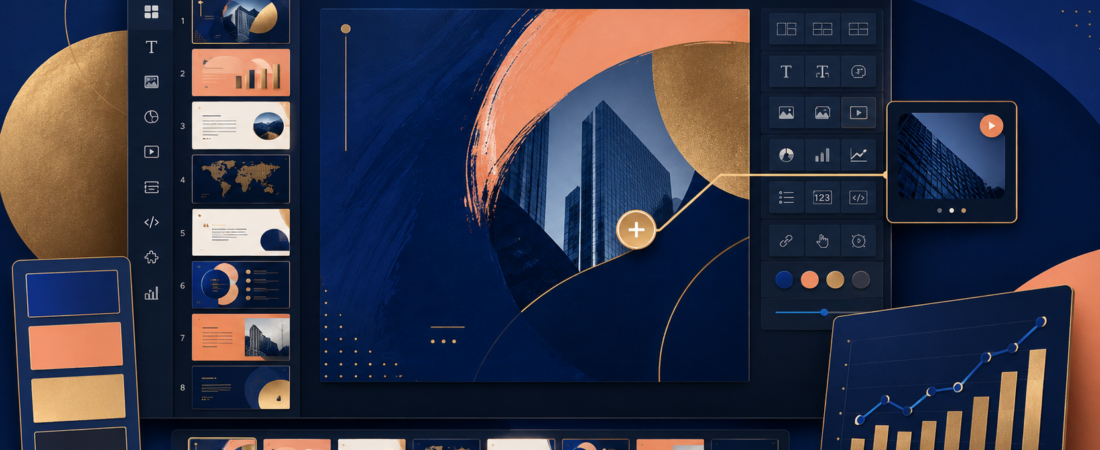
Template galleries are full of beautiful fragments. Client work fails between those fragments—when the chart contradicts the headline, the brand drifts by slide six, or an interactive element disappears in the exported PowerPoint. So I built my test around an eight-slide pitch, one real chart, a reusable brand palette, and three destinations: a live link, PDF and PPTX.
Pricing, AI credits and export formats checked August 25, 2026 against Visme’s official pricing and feature comparison.
The eight-slide story I used
Visme’s AI can accelerate a draft, but I did not let it choose the argument. I wrote the eight slide jobs first, then used the editor for structure, assets and variations. That ordering mirrors how I approach spoken content in Descript: editing is faster when the words already tell you what the piece is trying to do.
Visme’s real strength is the space between PowerPoint and a web page
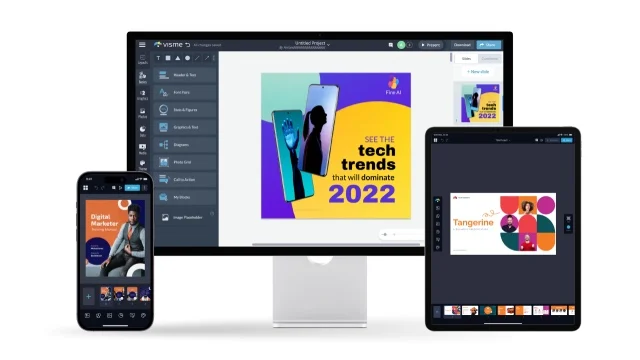
A conventional slide deck is portable and familiar. A web experience can be interactive, trackable and responsive. Visme tries to occupy the middle: presentations, reports and infographics that can be shared online, animated, embedded, measured and still downloaded in familiar formats.
I especially like this for a proposal or research report that must work asynchronously. A client can open a link, follow the sequence and interact with elements without scheduling another call. For a static handoff, I can still deliver PDF. For a team that insists on PowerPoint, Pro includes PPTX—but I would always check the export because complex animation and interactivity do not translate perfectly into an editable slide file.
Do not buy Visme because it can make more formats. Buy it when one visual story must survive several formats without being rebuilt from scratch.
Brand consistency is where Pro starts to earn its price
The official plan table puts Brand Kit, analytics, most integrations and broader privacy controls in Pro. That is not a cosmetic upgrade. On a recurring content team, approved fonts, colors, logos and blocks prevent every contributor from rebuilding the brand by eye.
The same principle applies across a creator stack. My podcast repurposing workflow uses a small number of defined outputs so quality survives the handoff, and the one-video-to-ten-posts case study shows how those decisions spread across formats. Brand systems are the visual version of that constraint: fewer arbitrary choices, faster review.
Evaluate the editor and AI. Do not mistake it for a professional delivery plan.
Good for a solo creator delivering JPG, PNG or PDF.
The serious business tier for PPTX, HTML5, video, GIF, Brand Kit and analytics.
Visme pricing in 2026
| Plan | Annual-billing price | AI credits/month | Critical limit |
|---|---|---|---|
| Basic | $0 | 10 | Limited templates/assets; branded public work |
| Starter | $12.25/person/month ($147/year) | 200 | JPG, PNG and PDF; no full business brand stack |
| Pro | $24.75/person/month ($297/year) | 500 | Best balance for Brand Kit and broad exports |
| Enterprise | Custom, from 10 users | Unlimited | Governance, approvals, SSO and onboarding |
The AI Designer currently costs two credits per generation; the AI Writer, resize and several image actions use one. Ten Basic credits are enough to understand the feature, not enough to develop a weekly AI-first workflow. I would make pricing decisions around exports and brand control first, then treat credits as a secondary allowance.
What happened at export
Live link
This preserved the strongest version of the project: interactivity, animation and the intended flow. It is the format I would use for a self-guided proposal or embedded report.
The safest client archive. Motion disappears, of course, so every page still has to make sense as a static composition. Starter is enough if this is your normal endpoint.
PowerPoint
Useful for organizations that require PPTX, but not a promise that every Visme behavior becomes native, editable PowerPoint logic. The official comparison itself notes limitations around editable PPTX in lower tiers. Open the file on the destination machine, inspect fonts and charts, and never send the first export unseen.
This kind of endpoint check is exactly why I separate generation from delivery in my VEED vs Descript comparison. The best workspace is not automatically the best final format.
Where Visme is genuinely good
- Business presentations that need stronger visual structure than a plain slide template
- Reports and one-pagers with charts, maps and data widgets
- Interactive or embedded content with analytics
- Teams that reuse brand assets and content blocks
- Marketers who need several output formats from one project
Where it feels expensive or excessive
- A student making one presentation
- A solo creator who already has Canva and only exports PNG
- A PowerPoint-heavy company that needs completely native, deeply editable PPTX files
- A designer who wants unrestricted layout and motion control
- A team expecting AI to invent the narrative rather than decorate it
If your real bottleneck is creating enough source material, fix that earlier in the pipeline. Castmagic is better suited to pulling written assets from a recording; my podcast repurposing tool comparison maps the rest of that stack, while the site’s design and branding directory is useful for comparing broader visual tools.
My final verdict
I would choose Visme for recurring business communication, not occasional slide decoration. It earns its keep when a team repeatedly turns evidence into branded presentations, reports and interactive experiences—and needs those assets organized, measurable and reusable.
Start with Basic to evaluate the editor. Choose Starter if PDF is the finished product. Choose Pro when Brand Kit, analytics, PPTX, HTML5 or video exports are part of paid client or team work. Most importantly, write the eight-slide argument before you invite AI into the room.
Visme FAQ
Is Visme free?
Yes. Basic is free with unlimited projects, limited assets and 10 monthly AI credits. Professional download and branding needs push most regular users to a paid tier.
Does Visme have a watermark?
The free experience retains Visme branding. Paid plans remove the Visme logo from projects.
Can Visme export to PowerPoint?
Pro and above include PPTX export. Always inspect an exported deck because interactive and animated behaviors may not translate as native PowerPoint elements.
Is Visme better than Canva?
I prefer Visme for data-heavy business presentations, reports, interactivity and analytics. Canva remains broader and often easier for quick everyday social design.