
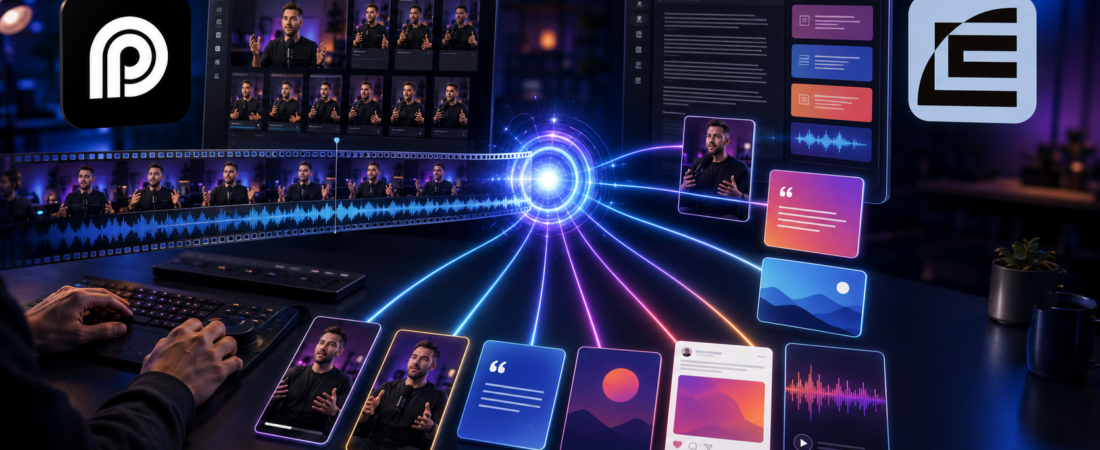
I stopped trying to turn every podcast episode into “50 pieces of content.” That promise sounds productive, but it usually creates a folder full of captions nobody wants to read and clips nobody finishes. My better target is smaller: one strong idea, carried into a few formats without losing its meaning.
For a typical 45-minute conversation, I want one clean master episode, one useful written anchor, three or four short clips, a newsletter or personal post, and a set of show notes that helps people decide whether to listen. The tools do the repetitive work. I still decide what the episode is about, what should be cut, and which version deserves a link.
Record once, find the argument, package the argument differently for each channel, then publish only the versions that survive a human review. The transcript is my index; it is not automatically my article.
Last fact-checked: August 17, 2026. Tool features and plan limits change, so the workflow is intentionally tool-flexible. Current Castmagic, OpusClip, Vizard, Riverside, and Descript references are linked below and should be checked again before purchase.
The unit I repurpose is an idea, not a timestamp
A timestamp tells me where a sentence happened. An idea tells me why someone should care. Those are not the same thing.
Before opening Castmagic, OpusClip, or Vizard, I write a one-line brief for the episode. It forces me to choose an editorial center instead of asking five AI tools to invent one independently.
Example brief: “This episode explains why small teams should build a repeatable content handoff before buying another AI tool.”
Everything I keep must support that sentence, challenge it usefully, or give it believable proof. A funny aside can still become a clip, but it does not get to define the article just because the model found it entertaining.
The small package I actually aim for
I use the following package as a ceiling, not a quota. If an episode only contains two genuinely useful ideas, I publish two ideas. More output is not automatically more distribution.
| Asset | Job | What I change by hand |
|---|---|---|
| Master episode | Give the complete conversation a trustworthy home | Remove false starts, fix names, check audio, and tighten the opening |
| Written anchor | Explain one idea for people who prefer reading or search | Add missing context, examples, links, and a clear conclusion |
| Three to four clips | Let new viewers encounter one useful moment | Rewrite the hook, cut the setup, check captions, and test whether it stands alone |
| Newsletter or personal post | Give the idea a human point of view | Replace show-note language with a specific observation or lesson |
| Show notes | Help an interested listener scan and press play | Verify timestamps, names, resources, and every outbound link |
This is enough to create a week of useful distribution without pretending that every sentence deserves its own asset.
First, make the master worth repurposing
AI cannot rescue a source that is confusing at the structural level. I do the boring work first: remove repeated introductions, correct obvious factual mistakes, label speakers, and make sure the first minute tells the listener what they will get. If the episode has a bad microphone or a loud fan, I address that before asking for a transcript or a clip.
For remote interviews, I prefer a recorder that captures local tracks. Riverside’s current product pages describe local recording, separate audio and video tracks, up to 4K video, 48 kHz WAV audio, and continuous uploading. My Riverside review covers the guest experience and the limitations of its Free plan.
I do not always edit the master in the recording app. When the conversation needs real editorial surgery, I move it into Descript’s transcript-based podcast workflow. The principle is simple: repurposing should start from the version I would be comfortable embedding, not from the raw file that still contains mistakes.
Then turn the transcript into an index
The transcript is valuable because it lets me search the whole episode without pretending that a block of text is already good writing. I keep speaker names, timestamps, and enough surrounding context to understand how a quote was earned.
Castmagic is useful at this stage because it can transcribe an audio or video upload, add speaker labels and timestamps, and generate show notes, summaries, blog drafts, newsletters, social posts, and quote lists from the same source. Its current pricing page organizes plans around a growing transcription library: Hobby shows 30 hours, Starter 100 hours, and Team 400 hours when billed annually at the displayed rates. AI regenerations and content outputs are listed as unlimited, so I would budget around source hours rather than the number of drafts.
My Castmagic review goes deeper into that trade-off. I usually ask for a timestamped overview first, then generate the article and newsletter only after I know which idea I want to carry forward. Generating everything at once makes it harder to tell whether the outputs agree.
I keep three kinds of moments
Rather than asking an AI clipper to find “the best parts,” I look for three different jobs. That gives me a better mix than taking the five most dramatic sentences.
The answer
A clear explanation, process, or checklist someone could save and use later. This is usually the strongest candidate for the written anchor.
The friction
A disagreement, failed attempt, or counterintuitive claim that creates a reason to keep watching. This often makes the best short clip.
The evidence
A result, example, number, or story that makes the answer believable. This is what stops the article and newsletter from sounding like generic advice.
One moment can serve two jobs, but I do not force every moment into every format. The answer might become a blog section, the friction a Reel, and the evidence a newsletter opening. That is a much more natural editorial system than copying the same paragraph five times.
Where each tool earns its place
Castmagic for the written first pass
I use Castmagic when the episode needs to become searchable text: show notes, a blog draft, a newsletter outline, a list of quotes, or social copy. The current product supports audio and video uploads, 60-plus transcription languages, timestamps, multiple transcript exports, and AI outputs from the same media file. I still fact-check names, numbers, and claims against the recording.
OpusClip for candidate discovery
OpusClip is the faster choice when the main question is, “Which parts of this long video could work as Shorts?” Its current product pages describe automatic clip selection, animated captions, auto-reframing, AI B-roll, editing, and publishing. I use it to widen the candidate pool, then keep only clips that make sense to someone who never watched the full episode.
Its current pricing page shows a free entry point with 60 minutes of processing refreshed monthly, followed by paid Starter and Pro tiers. I would not buy a clipper because it promises a high clip count; I would buy it if reviewing candidates is faster than manually scrubbing the episode. See my OpusClip review and the OpusClip vs. Descript comparison.
Vizard when distribution is the bottleneck
Vizard is more attractive when the clips need to move through a publishing queue. Its current workflow supports auto-generated captions, reframing, platform-specific post text, connected social accounts, and calendar scheduling. I would use it when a small team needs to review, brand, schedule, and publish repeatedly—not simply generate one clip for a launch.
My Vizard review covers the practical differences from a one-off clip generator. The tool can schedule, but it still cannot decide whether a clip makes a promise your landing page can support.
A 45-minute episode, worked through honestly
Imagine an interview about choosing software for a small content team. The raw recording contains a long introduction, a useful comparison, a story about buying the wrong tool, and a final checklist.
My first pass produces one 32-minute master. I keep the comparison and the story, remove the repeated setup, and make the checklist the closing promise. I then write the brief: “Buy for the bottleneck you repeat, not for the feature list you admire.”
From the transcript, I choose the comparison as the written anchor. It becomes an article with a table, examples, and links to the tools mentioned. The story becomes a newsletter because it has a personal failure and a lesson. The checklist becomes two short clips: one about diagnosing the bottleneck, one about avoiding unnecessary subscriptions.
I may ask OpusClip or Vizard for eight to twelve candidates, but I expect to keep three or four. If a candidate needs the host’s entire introduction to make sense, it goes in the reject folder. A clip is not successful because it contains a complete sentence; it is successful because a new viewer can understand the promise and payoff without homework.
The idea stays consistent; the channel changes
I do not paste the blog paragraph into LinkedIn or paste the Shorts caption into the newsletter. Each channel gets a different entrance into the same idea.
| Channel | What the reader/viewer needs first | My editing rule |
|---|---|---|
| Shorts, Reels, TikTok | A reason to stay for one payoff | Start at the tension, cut greetings, use readable captions, and make the final sentence land |
| Blog post | Context, explanation, and a useful next step | Expand implied assumptions, verify facts, add examples and relevant internal links |
| Newsletter | A personal observation worth replying to | Lead with what changed my mind or what I got wrong, not with “in this episode” |
| LinkedIn post | One opinion with a reason to respond | Keep one claim, one proof point, and one specific question |
| Show notes | A quick decision about whether to listen | Use accurate timestamps, names, resources, and a short description of the payoff |
That is why “one recording becomes ten posts” is a misleading headline. The ten assets are not ten copies. They are ten entrances to the same useful idea, and some entrances will be better than others.
The quality gate before anything goes live
I check these manually
- Meaning: did the edit remove the qualification that made the claim true?
- Names and numbers: are guests, products, dates, and figures transcribed correctly?
- Standalone context: would a stranger understand the clip without the full episode?
- Links: does every promised resource actually resolve, and does the article link to the most relevant existing guide or review?
- Voice: does the piece sound like a person with a point of view, or like software summarizing a recording?
This is where I catch most of the expensive errors. AI usually produces clean grammar. It is much less reliable at knowing whether a sentence is fair, whether a quote is misleading, or whether a recommendation still matches the current product page.
I schedule the package, not a content dump
I do not publish every asset on the same day. The master episode is the source. The written anchor can follow shortly after. The clips are spaced over the next week, and the newsletter gives the strongest idea a second, more personal entry point.
Vizard’s current calendar can auto-generate captions and schedule clips to connected accounts, while OpusClip can help generate and edit the candidates. I still decide the order. If the first clip explains the conclusion before the article is live, the rest of the package has no reason to exist.
What I measure after two or three episodes
I do not begin with total output count. I look for signals that tell me whether the editorial choice was right:
- Retention: where do viewers leave the short clip, and was the hook actually a promise?
- Response: which written angle earns replies, saves, or thoughtful disagreement?
- Click quality: does the article or episode attract the people the show is meant to serve?
If one topic consistently earns attention but no useful clicks, I change the call to action. If a clip gets views but the episode gets no new listeners, I check whether the clip is entertaining but disconnected from the show. Repurposing gives me feedback about the next episode; it is not merely a way to fill a calendar.
What I stopped automating
I stopped automating the decisions that carry reputation:
- the final headline for a claim-heavy article;
- the first sentence of a short clip;
- quotes involving a guest’s credentials or opinion;
- product names, pricing, and links;
- the promise made in the call to action.
Those are small edits, but they are the difference between content that feels extracted and content that feels authored. I am happy for AI to save me from transcript cleanup and first-draft formatting. I do not want it making the editorial promise on my behalf.
Podcast repurposing questions I get asked
How many pieces should one podcast episode produce?
For a normal 45-minute episode, I would aim for one master, one written anchor, three or four strong clips, one newsletter or personal post, and useful show notes. Ten assets is possible, but it should be a result of having enough ideas—not a quota imposed before listening.
Should I use Castmagic before OpusClip?
I usually identify the argument and clean the master first, then use the transcript to create written drafts and a clipper to find visual candidates. The important part is keeping one source of truth. Do not let the blog, clip, and newsletter invent three different versions of the episode.
Can I automate the whole repurposing workflow?
You can automate uploads, transcription, first drafts, clip generation, and scheduling. Keep a human approval step for claims, names, links, and the final hook. A public correction costs more than the minute saved by skipping review.
The useful podcast repurposing workflow is not a content factory. It is a small editorial system: one clean master, one clear idea, a few formats with different jobs, and enough human judgment to keep the final work accurate and worth someone’s time.
Sources and fact-check note: I checked the public Castmagic pricing page, Castmagic podcast transcription page, OpusClip pricing page, Vizard video repurposing page, and Riverside product overview on August 17, 2026. Prices, allowances, and feature names can change after this date.