
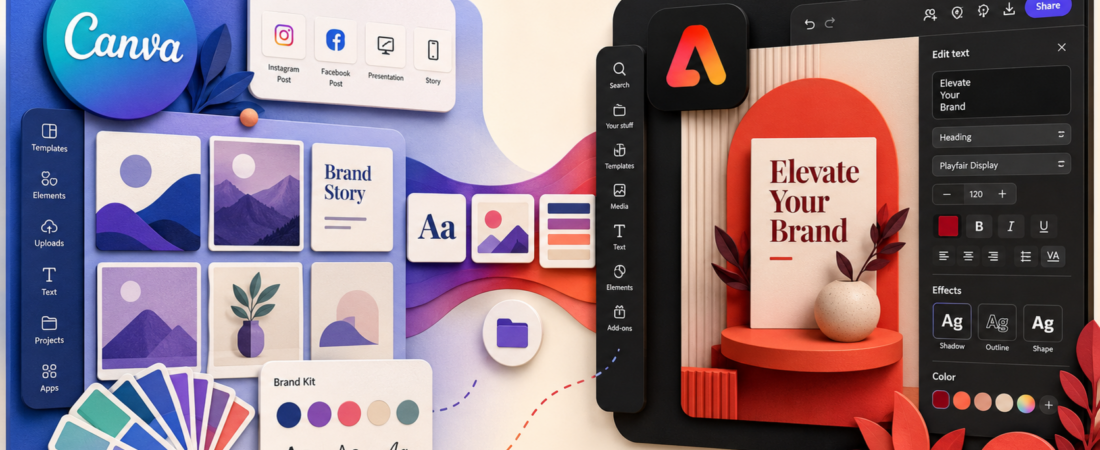
I do not think Canva vs Adobe Express is really a contest about who has more templates. The useful question is which tool helps you keep a small brand coherent when one idea must become a post, Story, flyer, presentation slide, thumbnail, and short video.
Canva is the broader content operating system. Adobe Express is the tighter bridge into Adobe’s creative ecosystem. Canva is my default recommendation for most solo creators and mixed-skill teams; Adobe Express becomes more persuasive when Photoshop, Illustrator, Lightroom, Acrobat, Adobe Fonts, or Firefly already sit in the workflow.
The test: one brand, six deliverables, 90 minutes
A design app looks excellent when you open a polished template. It becomes revealing when you have to keep six mismatched formats recognisably part of the same campaign. My practical test uses a simple product launch:
Logo, five colours, heading and body type.
Square post, vertical Story, YouTube thumbnail.
A4 flyer, presentation slide, ten-second video.
The winner is not the app that can technically produce all six. Both can. It is the app that reduces rework when I resize, replace assets, update the offer, and ask someone else to make a safe edit.
Canva feels like a complete content department
Canva’s advantage is accumulation. Templates, stock media, presentations, whiteboards, documents, websites, scheduling, AI tools, print, video, and brand controls share one account. That breadth matters when the person making a graphic is also writing the copy, adapting it for five channels, and asking a colleague to approve it.
The current Canva Pro plan lists premium resize, translation, background removal, 3.6 million-plus templates, 141 million-plus premium assets, five Brand Kits, social scheduling, 100GB storage, and a much larger AI allowance than Free. I would not use every feature, but I would use enough of the system that switching costs become real.
The downside is interface density. Canva keeps adding products, apps, AI options, asset types, and publishing paths. The home screen can feel more like a marketplace than a focused editor. Creators who only need quick social graphics may prefer the narrower experience described in my forthcoming Piktochart review for data-led visuals or my Visme review for presentations.
Adobe Express is strongest when Adobe is already in the room
Express is not a miniature Photoshop. That is a compliment. It keeps quick layout, templates, resize, brand assets, short video, scheduling, and generative tools accessible while connecting to a more serious creative stack.
The decisive feature for me is linked creative continuity. Adobe’s comparison page highlights direct connections to Photoshop and Illustrator assets, Adobe Fonts, Firefly, Acrobat, and Lightroom. If a designer adjusts a source asset, an Express user should not have to rebuild the campaign from exported leftovers.
Adobe Express Premium was listed at US$9.99 per month with no annual commitment when checked. That is lower than Canva Pro’s current US$180 annual price, although regional prices, taxes, promotions, and team packaging matter. Adobe also offers a US$19.99 Firefly Pro route with additional creative AI capacity and Photoshop on web and mobile.
Canva vs Adobe Express: the decisions that matter
| Question | Canva | Adobe Express |
|---|---|---|
| Which has the broader template and asset universe? | Canva | Large, but more curated |
| Which fits an Adobe workflow? | Possible through uploads and apps | Express, clearly |
| Which is simpler for a solo paid plan? | More features, more surface area | Lower listed monthly price and tighter scope |
| Which is better for presentations and docs? | Canva | Capable, but not the main advantage |
| Which is better for fonts and pro asset handoff? | Good | Adobe Express |
| Which has the stronger all-in-one team story? | Canva | Best when the team is Adobe-centred |
Brand controls matter more than a beautiful first draft
Both products can produce an attractive post quickly. The operational test is whether the next 30 posts still look related. In Canva, Brand Kits, locked elements, template sharing, folders, and approval-oriented team features make it easier to protect consistency across non-designers.
Adobe Express uses brand kits and templates too, but its deeper strength is upstream: Adobe Fonts and linked Photoshop or Illustrator assets. That is valuable when a professional designer defines the system and marketers adapt it.
AI: useful assistant, poor reason to migrate
Canva’s Magic Studio is spread across writing, image generation, background work, resize, translation, presentation creation, and design transformation. Adobe Express leans on Firefly and promotes commercially safe generative workflows plus conversational canvas editing.
I would not switch platforms because one demo produced a better AI image. Model quality and allowances change too quickly. I would evaluate whether the AI sits inside repeatable work: removing 40 backgrounds, resizing a campaign, rewriting a headline across formats, or generating a missing visual that is safe enough to use.
If AI-generated presenter video is the actual requirement, neither should be your first comparison. My HeyGen review examines avatar-led production, while my InVideo AI review looks at prompt-to-video output.
Video and social scheduling
Both tools handle lightweight short video, captions, templates, animation, music, and social publishing. Canva gives me a stronger sense of one canvas expanding into presentations, documents, posts, and video. Express feels cleaner when the assets came from Adobe photography and design tools.
Neither replaces a dedicated editor for long footage, detailed audio, or a dense timeline. My VEED review is a better next step if browser video editing is central rather than occasional. For a full mini-brand rather than a single campaign, my Renderforest review tests the all-in-one logo, mockup, video, and website proposition.
What each free plan is good for
Canva Free is unusually substantial: the official page currently lists 1.6 million-plus templates, 4.7 million-plus assets, 5GB storage, a limited three-colour Brand Kit, and a capped AI allowance. It is enough for a real creator workflow if premium assets and automation are not essential.
Adobe Express Free includes core templates, editing, content scheduling, and a smaller asset/storage package. I prefer testing with a full campaign rather than a sample template: build all six deliverables, export them, then list every premium interruption and manual workaround. Upgrade only when the repeated friction is worth more than the plan.
My recommendation by buyer
Solo creator: Canva, unless you already pay for and use Adobe products every week.
Small business with non-designers: Canva for template breadth and one shared content workspace.
Designer-led marketing team: Adobe Express if Photoshop, Illustrator, Lightroom, Acrobat, or Adobe Fonts are the source of truth.
Presentation-heavy consultant: compare Canva with the workflow in my Visme review before deciding.
Infographic publisher: read my Piktochart review; specialised data hierarchy may matter more than a universal design suite.
Frequently asked questions
Is Adobe Express better than Canva?
It is better for creators already working with Adobe assets, fonts, Firefly, Photoshop, or Illustrator. Canva remains the broader recommendation for templates, mixed content types, and non-designer collaboration.
Which is cheaper?
At the US prices checked on August 27, 2026, Adobe Express Premium listed US$9.99 monthly, while Canva Pro listed US$180 per year. Compare local checkout prices and included AI allowances before buying.
Can Adobe Express replace Photoshop?
No. Express is designed for fast content production, not deep pixel editing. Its advantage is working alongside Photoshop, not eliminating it.
Can Canva replace a video editor?
For simple social clips, yes. For long-form editing, detailed audio, advanced motion, and complex timelines, no.
Source note: Pricing, storage, template counts, brand features, and AI allowances were checked on August 27, 2026 against the official Canva pricing page, Adobe Express pricing page, and Adobe’s Express vs Canva comparison. Product claims from vendor comparison pages were treated as vendor claims, not neutral test results.