
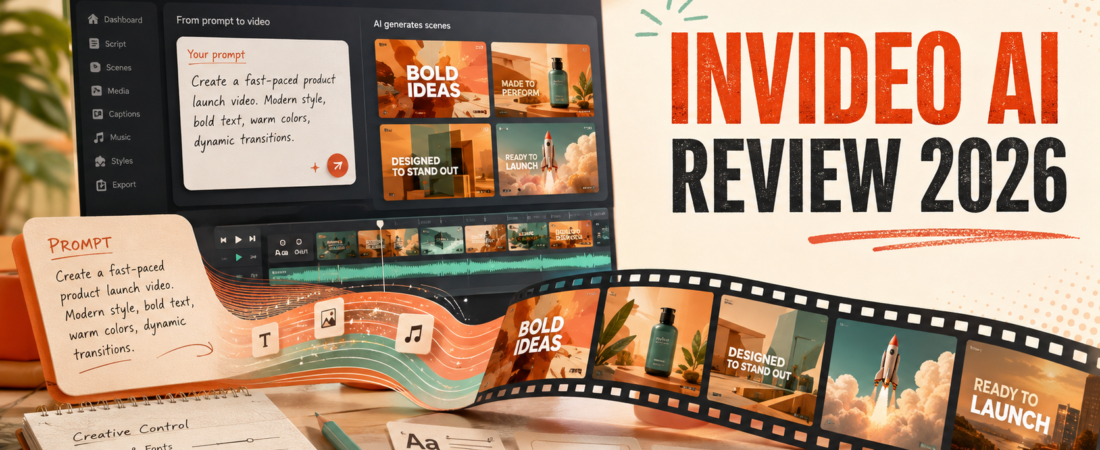
The first InVideo AI draft is the easy part. The expensive part is everything that happens after you say, “That scene is wrong—try again.”
That is the lens I use for this InVideo AI review. Prompt-to-video tools are often judged by how quickly they produce something. Creators should judge them by how quickly they produce something they are willing to publish.
InVideo has changed substantially in 2026. It is positioning itself as an agentic production environment that can route work across 200+ image, video, audio and music models, not merely a stock-footage template maker. The ambition is impressive. So are the prices once generation becomes a daily habit.
I tested the promise as a production pipeline
The useful question is not “Can InVideo make a video from text?” It can. The better question is what sort of video survives the route from prompt to publish.
I used a representative creator brief: a 60-second launch video with a strong opening, four visual beats, a restrained voiceover, captions and a clear final action. That brief exposes the whole system. The script has to sound specific, the visual sequence has to make sense, the clips need continuity, and the final frame has to support the message rather than merely look polished.
This is also where InVideo differs from tools already covered on this site. OpusClip starts with footage you already recorded and finds clips inside it. Descript lets you reshape recorded media through text. InVideo begins much earlier: with an intention, a prompt and an empty timeline.
What InVideo AI does well
It removes the blank-timeline problem
For a non-editor, an empty timeline is intimidating. InVideo gives the idea a shape: a script, scene order, proposed visuals, narration and music. Even when I dislike half the choices, reacting to a concrete cut is faster than inventing every production decision from zero.
That makes it useful for briefs that are visually flexible: list videos, faceless explainers, simple product narratives, mood pieces and rapid ad concepts. If the video relies on exact screen behaviour, precise claims or a recognizable host, I would bring my own footage and use a conventional editor instead. My OpusClip vs Descript comparison separates automatic production from the more controlled editing route.
The model selection is broad
Paid plans advertise access to 200+ models across video, images, audio and music, including names such as Seedance, Veo, Kling, Nano Banana and ElevenLabs music. The practical advantage is not collecting model logos. It is asking one environment to choose or coordinate tools for a shot.
That convenience has a cost: you are buying InVideo’s orchestration and project context on top of generation. Creators who already know exactly which model they want and are comfortable assembling assets may spend less by working directly. Beginners are paying to avoid that toolchain.
Conversational revision is easier than traditional editing—until it isn’t
Telling the agent to shorten a section or make a scene warmer is approachable. It lowers the learning curve compared with manipulating tracks, keyframes and nested menus. But natural-language control can be imprecise. When I know the exact frame where a caption should land, a timeline is often faster than another conversational instruction.
This is why I see InVideo as an idea-to-rough-cut system with editing features, not a full replacement for tactile editing. For transcript-driven control over real recordings, read my Descript review.
The quality ceiling: coherence matters more than spectacle
A beautiful eight-second shot can still be wrong for the video. The bottle changes shape. The room changes architecture. A character’s clothing shifts. A visual metaphor says something different from the narration. InVideo’s newer agent approach and persistent context aim to reduce those breaks, but no creator should treat continuity as guaranteed.
The more specific the subject, the more reference material I would provide. Product photos, brand colours, exact on-screen wording and a locked script give the agent fewer opportunities to invent. If I cannot verify the visual claim, I do not publish it.
Voice quality is generally no longer the weakest part of this category. But a smooth synthetic voice does not fix generic writing. If narration starts with real audio, my Descript Studio Sound review explains the cleanup side of the workflow.
InVideo AI pricing in 2026
InVideo’s pricing shifted toward a much larger, credit-driven model catalogue. I checked the official pricing and help pages on August 21, 2026. The annual prices shown by InVideo were $17 monthly equivalent for Plus, $85 for Max, $170 for Generative and $900 for Elite. Month-to-month pricing is higher.
| Plan | Annual-billing equivalent | Credits / month | Who it realistically suits |
|---|---|---|---|
| Free | $0 | Limited weekly quota | Interface and output testing; free exports may carry platform or stock watermarks. |
| Plus | $17/mo | 75 | Experiments and occasional light work, not a comfortable daily generative workflow. |
| Max | $85/mo | 390 | Regular but selective creation; InVideo labels it for occasional use. |
| Generative | $170/mo | 800 | Daily users who expect multiple generations and revisions. |
| Elite | $900/mo | 4,250 | Power creators and commercial production volume. |
All paid plans currently list unlimited watermark-free exports, access to supported AI workflows and models, and stock libraries. The major differences are credits, storage, avatar/voice-clone allowances and concurrency.
How I would estimate the real monthly cost
Do not ask, “How many videos do I publish?” Ask, “How many scenes do I generate, and how many versions does each accepted scene take?” A one-minute video with eight shots is not eight generations if three shots need four attempts.
For a first month, I would track three numbers: credits spent, approved seconds produced and hours saved. Approved seconds is the honest denominator. If 300 credits produce 40 seconds you actually use, that tells you more than a dashboard claiming dozens of successful generations.
Free plan: useful test, misleading benchmark
InVideo says the free plan can be used without a card and its limited quota resets weekly on Monday at 12 a.m. UTC. It is enough to explore the Agents & Models flow and share experiments. Free work may include InVideo or stock watermarks, so I would not build a client delivery process around it.
The free plan is best used to answer three questions: Does the agent understand my prompts? Can it keep my visual references consistent? Do I enjoy revising by conversation? If one of those answers is no, buying more credits will not solve the underlying mismatch.
If your actual goal is turning an existing long video into social clips, a free prompt-to-video quota is solving the wrong problem. Start with my guide to turning YouTube videos into Shorts or compare OpusClip and Vizard.
Where InVideo AI fits in a creator stack
I would place InVideo at the front of a campaign when no source video exists. It can help shape an idea, prototype visual directions and generate a first cut. After that, I would export and finish wherever I have better timing, audio and caption control.
For a podcast or talking-head channel, I would reverse the workflow: record authentically, edit the conversation, then repurpose the best moments. The podcast content repurposing workflow shows that branch, while my one video into ten social posts guide covers a broader distribution system.
For automatic short clips, my beginner clip-generator comparison is more relevant. InVideo creates missing visuals; clippers find useful moments in existing footage. They solve different bottlenecks.
I would buy it if…
- You make faceless explainers or ad concepts
- Starting from a brief is the real bottleneck
- You value one interface across many models
- You can define and police brand references
- You will measure credit use carefully
I would skip it if…
- Your videos depend on a real host’s personality
- You need frame-accurate manual editing
- Your budget requires predictable output costs
- Every product visual must be exact
- You mainly repurpose footage you already have
InVideo AI alternatives
VEED is the cleaner choice when you want a familiar browser timeline, captions and direct edits. Descript is better when spoken words and transcripts drive the project. HeyGen is more focused when the desired output is a consistent AI presenter. OpusClip or Vizard is better when the source material already exists and the task is distribution.
There is no universal winner because “AI video” now covers four different jobs: generating scenes, creating an avatar, editing recorded footage and finding clips. Buying the wrong category is more expensive than choosing the second-best tool inside the right one.
FAQ
Is InVideo AI free?
Yes. The free plan offers a limited weekly credit quota without requiring a card, but watermarks and generation limits make it a test plan.
Can InVideo AI make YouTube videos?
Yes, especially faceless explainers and visually flexible formats. I would still rewrite the script, verify every claim and do a final pacing pass before publishing.
Does InVideo AI replace a video editor?
It can replace much of the assembly work for a first cut. It does not replace precise editorial judgement, frame-level timing or the need to correct inaccurate visuals.
Which InVideo plan is best?
Plus is the lowest-risk paid test. Max makes more sense for recurring but selective use. Generative is the first tier InVideo positions for daily creation, but I would upgrade only after measuring actual credit burn.
Can I use InVideo AI videos commercially?
Paid plans provide watermark-free exports, but commercial use also depends on the licences and rights attached to the models, stock, voices, music and source assets used in your project. Check the current terms for your exact workflow.
Final verdict
InVideo AI is not a magic publish button. It is a fast, unusually broad creative assistant that turns an idea into material you can judge. That is valuable. The creator who gets the most from it is not the one who prompts fastest; it is the one who rejects weak scenes quickly, supplies good references and knows when to leave the agent and finish manually.
I would start free, produce one complete representative project, and calculate the cost per approved second. If the result is faster than your current workflow without flattening your voice, Plus is a reasonable test. If you need daily generative output, budget for a much steeper jump.
Check InVideo’s current pricingLast fact-checked: August 21, 2026. Pricing and credit rates change frequently; verify the official page before purchasing.