
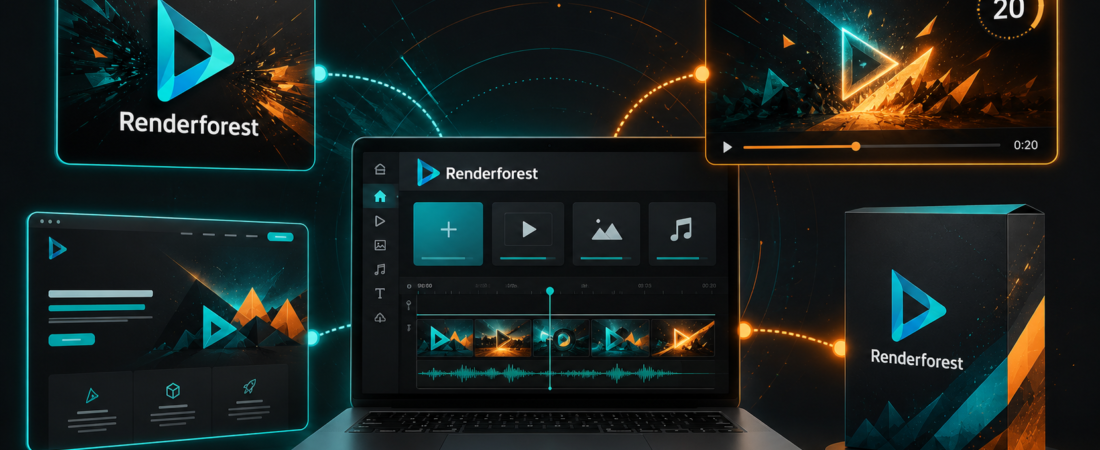
I gave myself one hour to launch a fictional coffee brand in Renderforest. The deliverables were deliberately mismatched: a logo, a 20-second intro, one product mockup and a simple landing page. Normally that means four tools, four export menus and a small identity crisis.
Renderforest’s promise is that the whole kit can come from one browser workspace. It mostly delivered. The interesting question was not whether each asset looked professional enough in isolation. It was whether the set looked like one brand—and where the templates began making the decisions for me.
Renderforest is a practical all-in-one launch suite for solo founders and small teams that value speed and consistency over deep creative control.
One logo, intro, mockup and landing page. Good enough to test an idea; not enough to claim a custom identity.
Prices, credits, export quality and licensing features checked August 25, 2026 against Renderforest’s official subscription page.
My one-hour micro-brand build
Pick a direction, simplify the mark, lock colors.
Choose a short opener, replace scenes, fix pacing and music.
Apply the mark to packaging and check contrast.
Build one page with promise, proof and action.
The suite removed a surprising amount of friction. The logo colors could inform the visuals, the mockup made the identity feel tangible, and a template gave the video a usable rhythm quickly. That speed resembles the attraction of InVideo AI: a large amount of production scaffolding appears before you have made every detailed choice.
The breadth is real—and so is the template ceiling
Renderforest covers AI and template video, logo generation, mockups, graphics and websites. That bundle has genuine economic value if you need several of those categories. It has much less value if you need one category at a professional depth.
For an announcement, channel intro, course opener or minimum viable brand, 70% may be exactly right. For a flagship identity, cinematic edit or conversion-critical website, I want a specialist. My VEED vs Descript comparison makes a similar point about editors: tools that overlap on a feature list can still be built around completely different creative decisions.
Video is the strongest reason to subscribe
The Pro plan includes unlimited Full HD 1080 template exports, a 5M+ stock catalog, 50GB of storage and 1,600 monthly AI credits. Business moves template exports to 4K, adds reseller licensing and team management, and includes 3,000 credits.
That makes Renderforest more convincing as a recurring video-and-brand subscription than as a one-time logo maker. If I only needed automated social clips from an existing long video, I would choose a specialist such as OpusClip or review the best OpusClip alternatives. Renderforest wins when the job begins earlier: make the intro, visual package and surrounding launch assets.
Renderforest pricing in 2026
| Plan | Yearly / monthly display | Useful ceiling |
|---|---|---|
| Free | $0 | Explore the tools; HD video carries a watermark and limitations |
| Lite | $8 / $9 per month | 400 AI credits, HD720, 10GB; personal use and limited exports |
| Pro | $19 / $39 per month | 1,600 credits, unlimited 1080 template exports, commercial toolkit, 50GB |
| Business | $39 / $59 per month | 3,000 credits, 4K template exports, reseller license, teams, 100GB |
The subscription page presents discounted annual-equivalent prices beside monthly prices, so confirm the billing toggle before checkout. AI output also depends on the model: the official table estimates very different video counts for Renderforest Fast, Kling, Flux and other models. “1,600 credits” is not 1,600 interchangeable finished assets.
Renderforest also sells some outputs individually: the current page lists a vector logo package at $29, a 1080p video export at $24 and 4K at $49. For one project, pay-per-export can be saner than adding another subscription.
The logo and website are useful validators, not final answers
The logo generator is good at creating a direction and supplying variations. I would still check distinctiveness, small-size legibility, black-and-white performance and trademark risk before building a company around it. A generated logo that looks familiar is not automatically infringing, but “AI made it” is not due diligence.
The website builder is similarly effective for a fast proof-of-concept. Paid tiers can connect a custom domain and include a premium site. I would use it to validate a simple offer, event or portfolio. I would not choose it for a complex content site, advanced ecommerce or a conversion program that depends on granular testing and integrations.
This is why the design and branding tools directory is worth checking before committing: a bundle is efficient only when its categories match your actual weekly work.
Who should choose Renderforest?
Choose it when
- You are launching a small brand or channel
- You need logos, intros, graphics and mockups together
- Templates save more time than they limit
- 1080p recurring video makes Pro worthwhile
- You value one subscription and one asset library
Skip it when
- You need a genuinely custom visual identity
- Your videos require detailed timeline, color or audio work
- Your website needs sophisticated publishing or ecommerce
- You only need automatic clips from finished footage
- You dislike output that visibly begins from presets
For short-form distribution from an existing video, follow my YouTube-to-Shorts guide. For prompt-led stock video, compare the workflow with HeyGen and InVideo AI instead of assuming every “AI video” category solves the same job.
My final verdict
Renderforest is a breadth purchase. I would recommend it to a solo founder, educator, YouTube creator or small agency that repeatedly needs a competent family of branded assets and does not want to become an expert in four applications.
My one-hour brand was coherent enough to test an idea and publish a first campaign. It was not a bespoke identity—and pretending otherwise would miss the product’s value. Start free, build the entire small kit, then price the plan against the number of separate tools or freelancers it genuinely replaces. Pro is the sweet spot for regular commercial video; Business is for 4K, reseller work and teams.
Renderforest FAQ
Is Renderforest free?
Yes. The free plan lets you explore the tools, but video exports include a watermark and lower limits.
Does Renderforest remove watermarks on paid plans?
Paid plans include watermark-free output according to the plan comparison; Lite has tighter monthly export limits than Pro and Business.
Can I use a Renderforest logo commercially?
Paid logo and eligible subscription packages include commercial-use assets. Confirm the exact license for your purchase and perform your own trademark checks.
Is Renderforest good for YouTube?
It is good for intros, explainers, promos, logo animation and channel branding. It is not my first choice for detailed long-form editing or automatic clipping.