
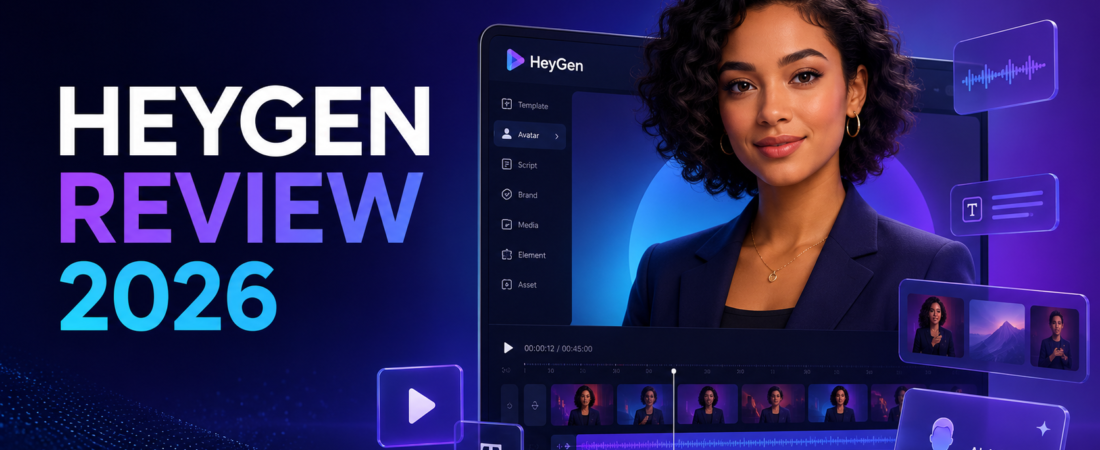
HeyGen is very good at removing the camera from a repeatable video workflow. That is not the same as removing the creative work—and it is definitely not the same as replacing a real video editor.
I think that distinction matters more than any feature checklist. If your bottleneck is filming the same presenter-led update in six languages, HeyGen can feel almost unfairly efficient. If your bottleneck is pacing, visual storytelling, or making a talking head feel human, the avatar is only the first layer of the job.
I reviewed HeyGen as a production decision, not a novelty: what it replaces, what it still leaves on your desk, and how quickly the new credit system can change the economics.
HeyGen is worth paying for when one approved presenter can replace repeated filming—product explainers, onboarding, training, localization, and scheduled updates. I would not buy it to make personality-led YouTube videos or visually ambitious social content. The face can be convincing; the finished video still needs taste.
What HeyGen actually replaces
HeyGen’s strongest trick is not “making an AI video.” It turns a script into a presentable talking-head asset without booking a room, setting lights, rehearsing lines or asking the presenter to record version 14. Create a stock avatar, photo avatar or consent-based digital twin; choose a voice; paste the script; then render.
That removes a very specific production chain. It does not automatically create a compelling hook, a coherent lesson or a strong visual argument. I would still write the script elsewhere, gather product captures, and finish in an editor. If your normal workflow begins with a real recording, Riverside remains the more natural starting point. HeyGen is for the occasions when recording itself is the expensive part.
The useful mental model: a reusable presenter layer
Think of HeyGen as a reusable presenter layer rather than a complete studio. That layer can say a revised paragraph tomorrow, switch languages next week, and appear in a vertical or horizontal version without another shoot. It is particularly valuable when the message changes more often than the visual format.
This is why the tool makes more sense for a SaaS onboarding library than for a creator vlog. In onboarding, consistency is a feature. On YouTube, too much consistency can look sterile.
The three HeyGen workflows I would trust
1. Product updates that keep changing
A two-minute monthly update is a perfect fit. Keep the branded frame, replace the script, swap two screen recordings and publish. The avatar absorbs the re-recording work; the editor handles the actual product evidence. My guide to editing in Descript shows the kind of transcript-level control a conventional editor gives you after the recording exists.
2. Training and internal explainers
Training videos benefit from stable delivery and painless corrections. If a policy sentence changes, generating one scene is less painful than recalling a presenter. The risk is making a long lesson visually flat, so I would break it into short chapters and use diagrams or real interface footage whenever the viewer needs evidence.
3. Localization at real scale
HeyGen supports 175+ languages and dialects on Creator and above, and its translation tools can preserve a speaker’s appearance while lip-syncing the result. This is the feature most likely to justify the subscription on business value alone. Still, a fluent reviewer should check names, emphasis, claims and culturally awkward phrasing before anything goes live.
Avatar quality is now good enough—and that creates a different problem
HeyGen’s Avatar IV can animate a photo with lip sync, facial movement and gestures. At a glance on a phone, the better outputs can absolutely pass as polished presenter footage. Hands, emotional transitions and prolonged close-ups are still the moments I watch most carefully, but pure visual realism is no longer the main blocker.
The new blocker is direction. A real presenter instinctively changes energy, glances toward a graphic, pauses after a difficult point and reacts to what they just said. An avatar performs the script it receives. If every sentence has the same length and cadence, the result feels synthetic even when the face looks excellent.
I would write for breath: shorter lines, contractions, deliberate pauses and occasional emphasis. Then I would cover the avatar with screenshots, charts or B-roll before the visual sameness becomes obvious. This is also why text-based tools still matter; my OpusClip vs Descript guide separates automatic reuse from detailed editing.
HeyGen pricing in 2026: the headline price is only half the story
HeyGen moved to a credit-based structure in August 2026. Prices and rates below were checked against HeyGen’s official pricing and help documentation on August 21, 2026.
| Plan | Current monthly price | What matters | My take |
|---|---|---|---|
| Free | $0 | 3 videos a month, up to 1 minute, Avatar IV access, standard processing, 30+ languages | Enough to test voice, pacing and whether an avatar fits your brand. |
| Creator | $29 | 600 credits, videos up to 30 minutes, 1080p, watermark removal, voice cloning, 175+ languages | The sensible solo-creator plan. |
| Pro | $49 | 1,000 credits, 4K export and faster processing | Worth it for frequent production or 4K delivery—not simply because it says “Pro.” |
| Business | $149 | 1,500 credits, up to 60-minute videos, collaboration and five custom video-avatar slots | A team workflow purchase, not a better-value creator plan. |
The awkward part is that different actions consume credits at different rates. HeyGen currently lists Avatar III video looks at 4 credits per generated minute, Avatar IV photo looks at 16, Avatar IV video looks at 31, and Avatar V at 48. Custom Expressive Motion adds another 40 credits per minute. Translation with lip sync also consumes credits.
That means “600 credits” is not a fixed number of finished videos. A minute of basic Avatar III and a minute of Avatar V are economically different products. I would estimate a normal month from the avatar model and translation mode I actually intend to use, then leave room for failed generations and revisions.
A practical cost check before upgrading
Take your longest recurring format and render one representative free test. Count how often you changed the script, regenerated a weak gesture, or replaced a shot. Multiply that friction by your monthly output. If the workflow saves a genuine filming session each week, $29 can be excellent value. If it produces three experimental clips that never leave drafts, even the Creator plan is expensive.
The same logic applies to voice and audio. If narration quality matters more than having a visible presenter, a dedicated audio workflow may be simpler. My Descript Studio Sound review shows what AI can fix after recording, while Descript pricing explains the competing media-hour and AI-credit model.
Editing, captions and repurposing: where HeyGen stops
HeyGen includes scene building, media, text and branded layouts, but I would not choose it as my only editor. Fine cuts, layered audio, detailed caption design, colour work and pacing a ten-minute YouTube video are still easier in a dedicated environment.
It also solves the opposite end of the pipeline from an automatic clipper. HeyGen creates a presenter-led source video. OpusClip and Vizard look for short moments inside an existing long video. If distribution is your bottleneck, read my beginner’s guide to AI clippers or the practical walkthrough on turning a YouTube video into Shorts.
- Excellent leverage for repeated presenter videos
- Convincing avatar and lip-sync quality
- Fast script corrections without a reshoot
- Real localization value
- Free plan can validate the core workflow
- Credits make output harder to predict
- Natural emotion still needs careful writing
- Long avatar-only videos become monotonous
- Advanced editing remains a separate job
- Disclosure and consent require real editorial care
HeyGen vs the tools creators already use
Choose HeyGen over Descript when you do not want to record a presenter at all. Choose Descript when you already have real footage and want transcript-based control, cleanup and a conventional edit.
Choose HeyGen over Riverside for scripted, repeatable delivery. Choose Riverside when the conversation, guest and authentic recording are the content.
Choose HeyGen over OpusClip or Vizard to create new presenter footage. Choose a clipper to distribute a long recording you already made. My OpusClip vs Vizard comparison is the faster way to choose between those two.
Who should buy HeyGen?
I would recommend it to a small SaaS team maintaining product education, an L&D team localizing training, an agency making many structured explainers, or a creator who needs a consistent presenter without appearing on camera.
I would skip it if your advantage is your real personality, interviews, nuanced performance or handcrafted visuals. In that case, improve the recording and editing workflow instead. For a broader content system after the main video exists, my one-video-to-ten-posts workflow is more relevant.
FAQ
Is HeyGen free?
Yes. The current free plan allows three videos per month, each up to one minute, with standard processing. It is a product test, not a dependable publishing plan.
Does HeyGen add a watermark?
The free plan is for testing; Creator and higher explicitly include watermark removal.
Can HeyGen replace filming?
It can replace repeated scripted presenter recording. It cannot replace authentic interviews, product capture, B-roll or editorial judgement.
Is HeyGen good for YouTube?
For explainers, tutorials and localized channels, yes—with additional visuals and editing. For personality-led channels, I would keep the real host on camera.
Is an AI avatar safe for commercial use?
Use only avatars, voices and source material you are authorized to use, follow HeyGen’s consent requirements, and disclose synthetic media when the platform, client or audience context calls for it.
Make one real one-minute video on the free plan using the exact script and avatar style you would publish. If it removes a recurring shoot—not merely creates an interesting demo—Creator is the plan I would consider.
Check HeyGen’s current plansLast fact-checked: August 21, 2026. Prices and credit rates can change; verify the official pricing page before purchasing.