

Most OpusClip vs Vizard comparisons ask which tool has more features or produces better clips. That is not what I wanted to know here. I wanted to know which one a complete beginner could open for the first time and use without getting stuck.
So I narrowed the test to four moments: creating an account, starting the first project, fixing one generated clip and exporting it. I deliberately ignored advanced brand kits, team tools, scheduling and whether the AI chose the most viral moment. Those questions belong in a broader comparison; this one is about first-use friction.
Last checked: July 31, 2026. Interfaces and free-plan limits may change.
My short answer: OpusClip is the easier first AI clip generator if you want the shortest route from a video to an exported Short. Its workflow feels more guided and the results page is easier to scan. Vizard is easier once you need to make changes, because its free plan includes full editor access. For a beginner who wants one clear recommendation, I would start with OpusClip—but Vizard is the less frustrating choice if editing the first draft is essential.
A Different Question From “OpusClip vs Vizard”
This article is intentionally not a second version of a full OpusClip vs Vizard feature comparison. In a comprehensive comparison, clip selection, caption accuracy, automatic reframing, editing freedom, export quality, watermarks and generation speed all matter.
Here, I treated both products like a first-time user would. The test ended as soon as I had downloaded one vertical clip. I assessed only whether the next action was obvious, how many decisions the interface demanded and whether the free experience let me correct a simple mistake before exporting.
Register: Can I create an account without committing to a paid plan or understanding credits first?
Operate: Can I work out how to import a video and generate clips without reading a help article?
Modify: Can I fix the timing or captions when the AI’s first result is not quite right?
Export: Is the download route obvious, and are the free restrictions explained before they become a surprise?
OpusClip vs Vizard for Beginners: Quick Result
| Beginner task | OpusClip | Vizard | Easier option |
|---|---|---|---|
| Registration | Fast account creation and a clear route into the product | Also straightforward, with no paid commitment required | Draw |
| Starting a project | More guided; paste a link or upload, choose basic settings, generate | Simple, but the workspace introduces more editing possibilities | OpusClip |
| Understanding the results | Clip cards and scores make the first review easy to scan | Feels more like entering a video-editing workspace | OpusClip |
| Correcting the clip | Free plan currently lists no editing | Full editor access is included on Free | Vizard |
| First export | Clear export path; Free renders up to 1080p with a watermark | Clear once editing is finished; Free exports at 720p | OpusClip |
| Overall beginner pick | Best for the shortest guided workflow | Best for learning through hands-on editing | OpusClip |
The result is not that Vizard is difficult. It is that Vizard exposes more of the editing process earlier. That is useful control, but it also means a new user has more buttons and more possible next steps to interpret. OpusClip feels closer to a single-purpose assistant: give it a video, let it generate candidates, choose one and export.
1. Registration: Both Are Beginner-Friendly
Winner: Draw
Neither product makes registration the difficult part. Both offer a free route into the product, so a beginner can test the workflow without choosing a subscription first. OpusClip also states that no credit card is required to try its Shorts tool.
What I liked about OpusClip was the sense of forward movement. After entering the account, the product points towards creating a project rather than forcing a long setup process. It may suggest brand templates or social connections, but those are not necessary for producing the first clip. A beginner can ignore them and come back later.
Vizard is similarly approachable. The free workspace is available immediately, and its current Free plan includes 60 monthly credits, editor access and one connected social account. The word “credits” may sound technical, but in normal clipping use it essentially refers to source-video minutes.
Beginner tip: Do not connect every social account or build a brand kit during registration. First prove that the tool can make one clip you actually like. Setup options feel much less confusing once you understand the basic workflow.
2. Operation: OpusClip Makes the First Project Easier
Winner: OpusClip
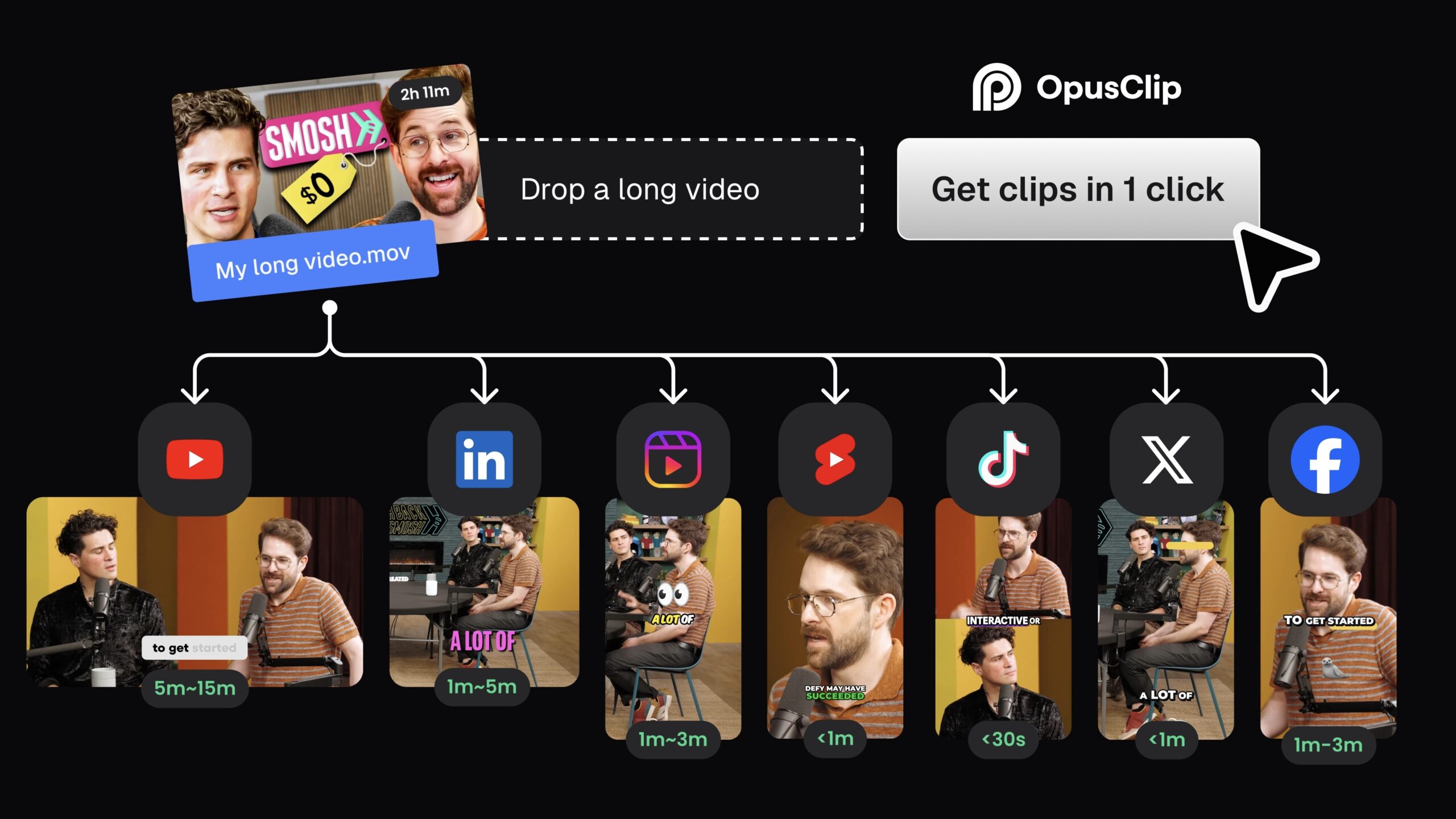
This was the clearest usability difference before editing. OpusClip’s basic flow is easy to form into a mental model:
- Paste a supported video link or upload a local file.
- Choose the part of the video you want processed.
- Select a clip length or basic output preference.
- Generate the clips.
- Review the results as individual cards.
I did not have to understand a timeline before seeing useful output. That matters for a beginner. Traditional video editors ask you to make decisions immediately; OpusClip postpones most decisions until after it has shown you something.
The results page also helps. Clips are separated, previewable and accompanied by information that makes them easier to prioritise. I would not treat a virality score as a promise of views, but it gives a nervous first-time user somewhere to begin: review the high-ranked clips first rather than watching every result in random order.
Vizard’s upload-and-generate process is not complicated, and it supports the same basic idea of turning long-form video into multiple short clips. The difference is how the product feels after generation. Vizard transitions naturally into a fuller editor. For someone familiar with Canva, CapCut or browser-based editing, that may feel comfortable. For someone who has never edited a video, the extra controls create a small learning step.

If you have never repurposed long-form content before, my beginner guide to turning a YouTube video into Shorts explains the automated, manual and hybrid methods. The hybrid method—AI selection followed by a quick human edit—is the one I would recommend for most creators.
3. Modification: Vizard Is Much Easier on the Free Plan
Winner: Vizard
This is where the answer flips. A first AI-generated clip nearly always needs at least a quick check. The opening may start half a sentence too early, a name may be misspelled, or the captions may cover an important part of the frame. A beginner-friendly product should make those fixes feel safe.
Vizard does that better for free users because its current Free plan includes full access to the video editor. The transcript-led workflow is easier to understand than a complex professional timeline: click the words, correct the text, adjust the clip and preview the result. It gives beginners room to experiment without immediately sending them to another app.
OpusClip’s paid editor is capable, but its current Free plan explicitly lists no editing. That is a serious beginner limitation. The automatic result may be easier to generate, yet a free user who spots a bad cut cannot simply learn by fixing it inside the same workflow. They may need to try another generated candidate, upgrade or export and continue in a separate editor.
This distinction is why I would not call OpusClip the winner in every beginner scenario. It is easier when the AI gets the result right. Vizard is easier when the AI gets it wrong.
My practical view: if your first clip only needs approval, OpusClip is simpler. If it needs surgery—even small surgery—Vizard is the friendlier learning environment.
4. First Export: OpusClip Is Simpler, but Read the Limits
Winner: OpusClip
Once I had selected a clip, OpusClip made the final action easy to understand. The product is designed around generated clip cards, so exporting feels like the natural end of the workflow rather than one option hidden inside a large editor.
Its Free plan currently renders clips at up to 1080p. Vizard’s Free plan exports at 720p. That resolution difference does not determine usability by itself, but it gives OpusClip a more satisfying first download—especially if the clip contains small text or a screen recording.
The catch is that free plans are testing environments, not clean professional workflows. OpusClip’s current Free plan includes a watermark, no editing and a three-day period before clips are no longer exportable. Vizard’s Free plan also provides only three days of storage and limits exports to 720p. Download anything you want to keep instead of treating either dashboard as permanent storage.
If you want the exact OpusClip allowance, source limits, watermark rules and download restrictions, I have fact-checked them separately in Is OpusClip Free? Limits, Watermark & Quality Tested.

Which AI Clip Generator Should a Beginner Choose?
Start with OpusClip if your goal is to experience the value of AI clipping as quickly as possible. Its guided upload-to-results flow asks fewer questions, its generated clips are easier to scan and its first export is straightforward. It is the tool I would show someone who says, “I have a podcast—just help me make a Short.”
Start with Vizard if you want to learn how the clip is built. Its editor adds a little complexity, but the ability to change the transcript, timing and visual layout without paying makes it more forgiving. It is the tool I would give someone who says, “I know the AI will not get everything right, and I want to fix it myself.”
Choose OpusClip if you…
- Have never used a video editor
- Want the fewest decisions before seeing clips
- Prefer a guided, automation-first workflow
- Want up to 1080p on the free export
- Are mainly testing whether AI clipping works for you
Choose Vizard if you…
- Expect to correct every first draft
- Want free access to a full editor
- Prefer transcript-based editing
- Already feel comfortable with Canva or CapCut
- Value control more than the shortest workflow
My Final Verdict
OpusClip is the best AI clip generator for most complete beginners. It wins because the first session has a clearer shape: import, generate, review and export. The interface does a better job of keeping the user focused on the next decision.
Vizard is only slightly harder to learn, and it becomes easier the moment a clip needs modification. Its free editor is a meaningful advantage—not another feature to tick off, but the difference between being able to repair your first attempt and having to change tools.
My recommendation is simple: try OpusClip first with a short, clearly spoken video. If you like the generated moment but feel trapped when you try to change it, repeat the same source video in Vizard. That one side-by-side test will tell you more than comparing long feature lists.
For a deeper product test beyond beginner usability, read my full OpusClip review, where I assess its output quality, useful-clip rate and real editing time.
Frequently Asked Questions
Is OpusClip easier to use than Vizard?
Yes, for the first automatic workflow. OpusClip makes importing, generating, reviewing and exporting feel more linear. Vizard has a slightly steeper first-use curve because it exposes more editing controls.
Which is better for someone with no editing experience?
OpusClip is the better starting point if you want the AI to do most of the work. Vizard is better if you want to learn basic editing and correct the result yourself.
Can beginners use OpusClip and Vizard for free?
Yes. Both currently offer free plans with 60 monthly credits. Their restrictions differ: OpusClip Free renders up to 1080p but lists no editing, while Vizard Free includes the full editor but limits exports to 720p.
Which tool is easier for correcting captions?
Vizard is easier for free users because its video editor is included on the Free plan. OpusClip currently lists no editing on its Free plan.
Do I need to connect a social account before exporting?
No. Connecting social accounts can simplify publishing later, but it is not necessary for creating and downloading your first clip. Beginners should test the core workflow before adding integrations.