
Yes, OpusClip has a free plan—but “free” does not mean unrestricted. You can process up to 60 minutes of source footage each month and download clips in up to 1080p, but free exports carry an OpusClip watermark, editing is unavailable, and projects expire after three days.
OpusClip Free is good enough to test its AI clipping quality or repurpose about one hour of footage per month. It is less suitable for polished branded content because the exports are watermarked and the free plan does not include editing.
Plan details checked against OpusClip’s official pricing and help documentation on July 31, 2026.
OpusClip Free Plan at a Glance
| Feature | OpusClip Free Plan |
|---|---|
| Monthly allowance | 60 processing credits |
| Credit calculation | Normally 1 credit per processed minute |
| Maximum supported source video | Up to 10 hours |
| Practical free processing limit | About 60 minutes per month |
| Export resolution | Up to 1080p |
| Watermark | Yes |
| Video downloads | Yes |
| Editing generated clips | No |
| Free-plan import sources | YouTube links and local files |
| Local upload size | Up to 10GB per video |
| Project availability | 3 days after creation |
| Credit card required | No |
If you want to see how those limits compare with the tool’s actual clipping performance, caption accuracy and editing experience, read our full hands-on OpusClip review.
Is OpusClip Completely Free?
OpusClip offers two free experiences: a seven-day trial for new users and a Free Forever plan after the trial ends. New accounts currently receive 90 processing credits during the trial. After that, you can continue on the free plan with 60 credits renewed each month instead of purchasing a subscription.
You do not need a credit card to create the account or start the trial, so the trial should not automatically turn into a paid subscription.
The important detail is that usage is measured by the duration of the original footage processed, not by the combined duration or number of short clips generated.
- A 10-minute source video uses about 10 credits.
- A 30-minute podcast uses about 30 credits.
- A 60-minute interview uses the full monthly free allowance.
- Generating several shorts from one 30-minute upload does not consume 30 credits for every resulting clip.
How Many Free Minutes Do You Get?
The Free Forever plan provides 60 processing credits per month, equivalent to approximately 60 minutes of source footage. The credits refresh monthly and are consumed when OpusClip analyses the original video.
A source shorter than one minute is rounded up to one credit. OpusClip’s current documentation also says partial minutes in longer videos are generally rounded down, so a 4.5-minute video would use four credits.
You can reduce credit use by selecting only the section you need. For example, processing a 20-minute segment from a two-hour podcast should consume about 20 credits rather than 120.

When 60 minutes may be enough
- You repurpose one podcast or interview per month.
- You test a few shorter YouTube videos.
- You create occasional TikToks, Reels or YouTube Shorts.
- You mainly want to evaluate OpusClip before subscribing.
The allowance will feel restrictive if you publish long-form content every week, manage several client accounts, or regularly process webinars and livestreams.
What Is the Maximum Video Length?
OpusClip’s system supports source videos up to 10 hours long. That technical maximum is different from the free account’s monthly allowance: a free user may be able to import a long recording, but only a section that fits the remaining credits can be processed.
| Source video | Can Free import it? | Can 60 credits process it all? |
|---|---|---|
| 15 minutes | Yes | Yes |
| 30 minutes | Yes | Yes |
| 60 minutes | Yes | Yes |
| 2 hours | Yes | No—select up to about 60 minutes |
| 10 hours | Technically supported | No—select a shorter timeframe |
| More than 10 hours | Not officially supported | No |
Does Free OpusClip Have a Watermark?
Yes. Videos exported from the current Free Forever plan include an OpusClip watermark. This is one of the plan’s most important restrictions because it makes free clips less suitable for client work, paid advertising and polished brand accounts.
Some older OpusClip documentation has used conflicting wording, but the current pricing page lists “Has watermark” under the Free plan. Its downgrade documentation also warns that videos become watermarked after moving to Free. You should therefore plan on every free export carrying OpusClip branding.
No. OpusClip’s help centre says trial exports also include an OpusClip watermark. Despite the “Pro trial” name, watermark-free exporting requires a paid subscription.

What Resolution Does OpusClip Export?
The Free plan can render clips at up to 1080p. For a standard vertical short, the delivered file is usually 1080 × 1920. However, the visible detail still depends on the original footage and how aggressively the landscape frame is cropped.
A vertical crop uses only a narrow section of a landscape source. OpusClip can upscale that crop to a 1080 × 1920 file, but it cannot recreate detail that was not present in the selected part of the original image. A 4K source therefore gives the AI more image information to work with than a 1080p landscape source.
Why can the preview look blurry?
The results page may display a lower-resolution preview. Export and download the clip before making a final judgement about its quality. If you are importing from YouTube, wait until YouTube has finished processing the source video in HD before submitting it to OpusClip.
- Upload or publish the original in at least 1080p.
- Confirm that the HD version is available.
- Import the video into OpusClip.
- Download the final export before judging resolution.
Can You Download and Edit Videos for Free?
Free users can download generated clips, but every export includes the watermark. The Free plan also lists no clip editing, so you cannot fully refine the AI result inside OpusClip without upgrading.
This matters because generated clips may still need subtitle corrections, tighter start and end points, better subject positioning or brand elements. You can make further changes in another editor after downloading, but the OpusClip watermark will remain in the exported video.
Free projects expire three days after creation and cannot be recovered after deletion. Review and download anything useful as soon as processing finishes.
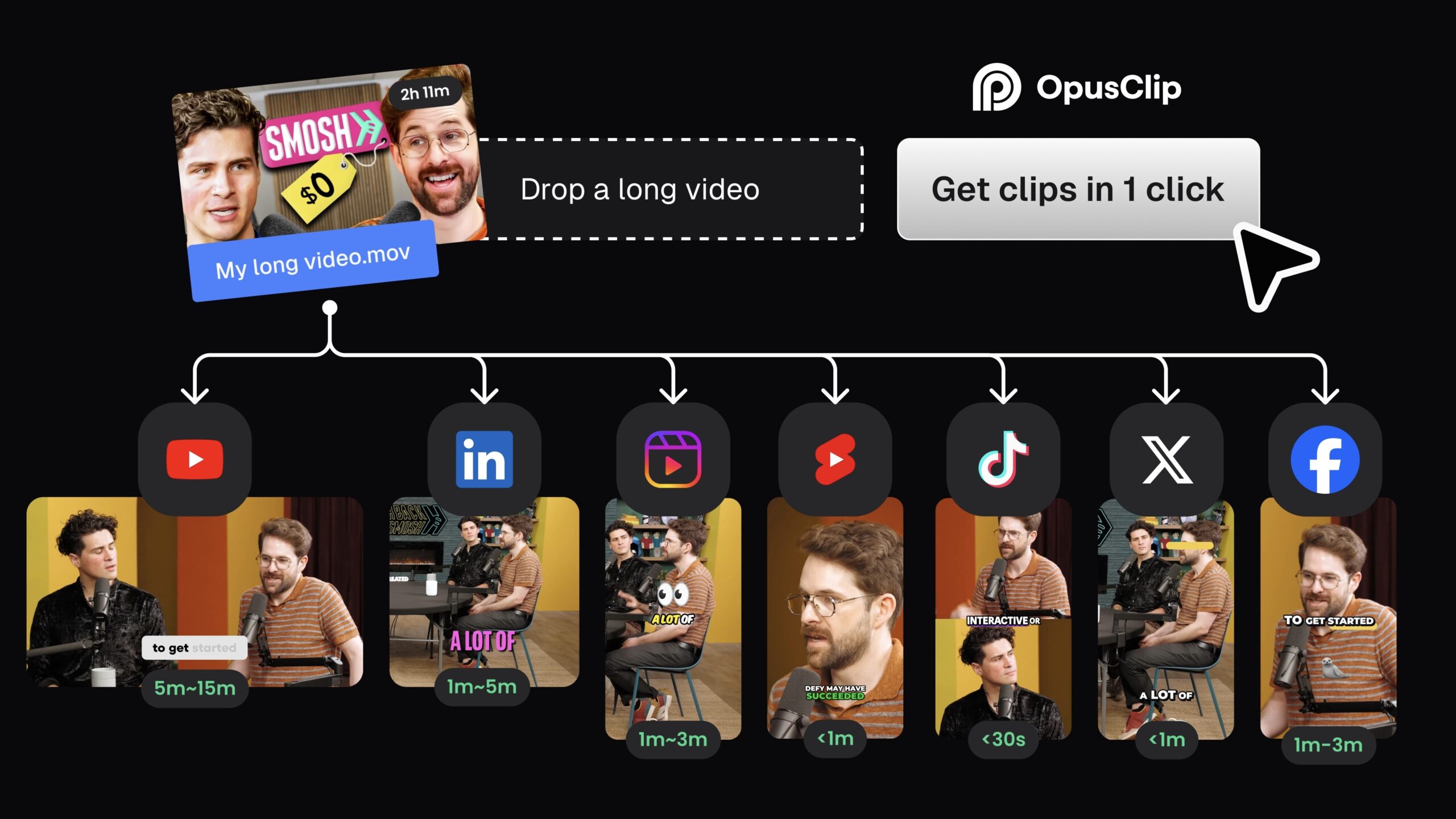
A sensible free workflow
- Import a YouTube link or local video.
- Select only the timeframe you want to process.
- Review the generated clips immediately.
- Download the useful results before the project expires.
- Store the files locally or in your own cloud drive.
For a complete practical walkthrough, see how to turn a YouTube video into Shorts using three different methods.
Which Import Sources Does the Free Plan Support?
OpusClip supports many platforms overall, but the current plan documentation lists only YouTube links and local video files for the Free plan. Local uploads can be up to 10GB per video.
Paid tiers expand the available sources to services such as Google Drive, Vimeo, Zoom, Twitch, Facebook, LinkedIn, Dropbox, Riverside, Loom and other supported platforms. Source links generally need to be public or unlisted so OpusClip can access them.
Do You Need a Credit Card?
No. OpusClip states that no credit card is required to start the free trial. You need to create an account, but you should not need to enter payment details to use the initial trial credits or continue onto the Free Forever plan.
You should only be charged if you intentionally select a paid plan and complete checkout.
What Happens When the Free Trial Ends?
After the trial, you can purchase a subscription or continue using the Free Forever plan. On Free:
- Your recurring allowance becomes 60 credits per month.
- Exports contain an OpusClip watermark.
- Editing is unavailable.
- Import sources are limited.
- Projects expire after three days.
- Processing uses regular rather than priority speed.
Is OpusClip Free Worth Using?
Yes—for testing and occasional use. The free version gives you enough access to judge whether OpusClip can identify useful moments, reframe speakers correctly and generate accurate captions from your content.
The limitation is not basic functionality; it is finishing and publishing. Watermarked exports, no editing and three-day project expiry stop the Free plan from becoming a smooth professional workflow.
If your goal is to test AI clipping on one hour of footage per month, Free is sufficient. If you publish branded content consistently, manage client videos or need clean exports, a paid plan—or another editing workflow—will be more practical. Our full OpusClip review and real-world test results can help you decide before upgrading.
Frequently Asked Questions
Is OpusClip free forever?
Yes. OpusClip currently offers a Free Forever plan with 60 processing credits renewed each month.
How many videos can I make with free OpusClip?
There is no fixed number because usage is based on source-video duration. You can process around 60 total minutes of original footage per month, and one upload may generate several short clips.
Does OpusClip Free have a watermark?
Yes. Both Free-plan and free-trial exports contain an OpusClip watermark.
Can I download OpusClip videos without paying?
Yes. Free users can download videos, but the files are watermarked.
Does OpusClip export in 1080p?
Yes. The Free plan supports exports up to 1080p. Actual image detail depends on the source resolution and vertical crop.
How long does OpusClip keep free projects?
Free-plan projects expire three days after creation. Download anything you want to keep before then.
Can I upload a two-hour video for free?
The system supports a two-hour source, but 60 monthly credits cannot process the whole recording. Select a section of up to approximately 60 minutes.
Does the free trial require a credit card?
No. OpusClip says no credit card is required to begin its free trial.
Can free users import from Google Drive?
OpusClip supports Google Drive overall, but its current plan documentation lists YouTube and local files for Free. Google Drive import is associated with paid plans.