

Yes, Descript has a real free plan rather than a seven-day trial. You can import or record media, transcribe it, edit audio and video through the transcript, try limited AI tools, and export a finished project without paying. The catch is that the plan is designed to prove the workflow—not support a regular content calendar.
Last updated: August 14, 2026 · Free-plan limits and export documentation checked against Descript’s current official pages.
Descript Free is good for one real test project
The Free plan includes 60 media minutes per month, 100 AI credits as a one-time allowance, and video export up to 720p. Descript’s current video-export help page says exports from a Free Drive include a Descript watermark.
That is enough to find out whether text-based editing makes sense to you. It is not enough for a weekly podcast, ongoing YouTube channel, repeated Studio Sound processing, 1080p delivery, or watermark-free client work.
Descript Free plan limits at a glance
| Free-plan feature | Current limit | What it means in practice |
|---|---|---|
| Subscription | $0 | The account does not automatically expire like a short trial. |
| Media processing | 60 minutes/month | One hour of imported or recorded media can use the full monthly allowance. |
| AI credits | 100 one-time | The credits do not refresh to 100 every month. |
| Video resolution | Up to 720p | Below the 1080p standard most YouTube creators expect. |
| Video watermark | Included on Free exports | Upgrade and re-export to remove it from future files. |
| Underlord and AI tools | Limited | Enough to sample the tools, constrained by the one-time credit balance. |
| Transcription | Part of the media allowance | There is no separate modern “free transcription hours” bucket. |

What can you actually do with Descript for free?
The useful part of Descript Free is that it lets you test the core editing model. Import a recording and Descript converts the speech into a transcript. Delete a sentence from the script and the linked audio or video is removed. Rearrange text and the media follows.
You can use the plan to explore:
- Text-based audio and video editing
- Automatic transcription within the media allowance
- Basic speaker identification and transcript correction
- Screen, microphone and webcam recording
- Dynamic captions and standard editing tools
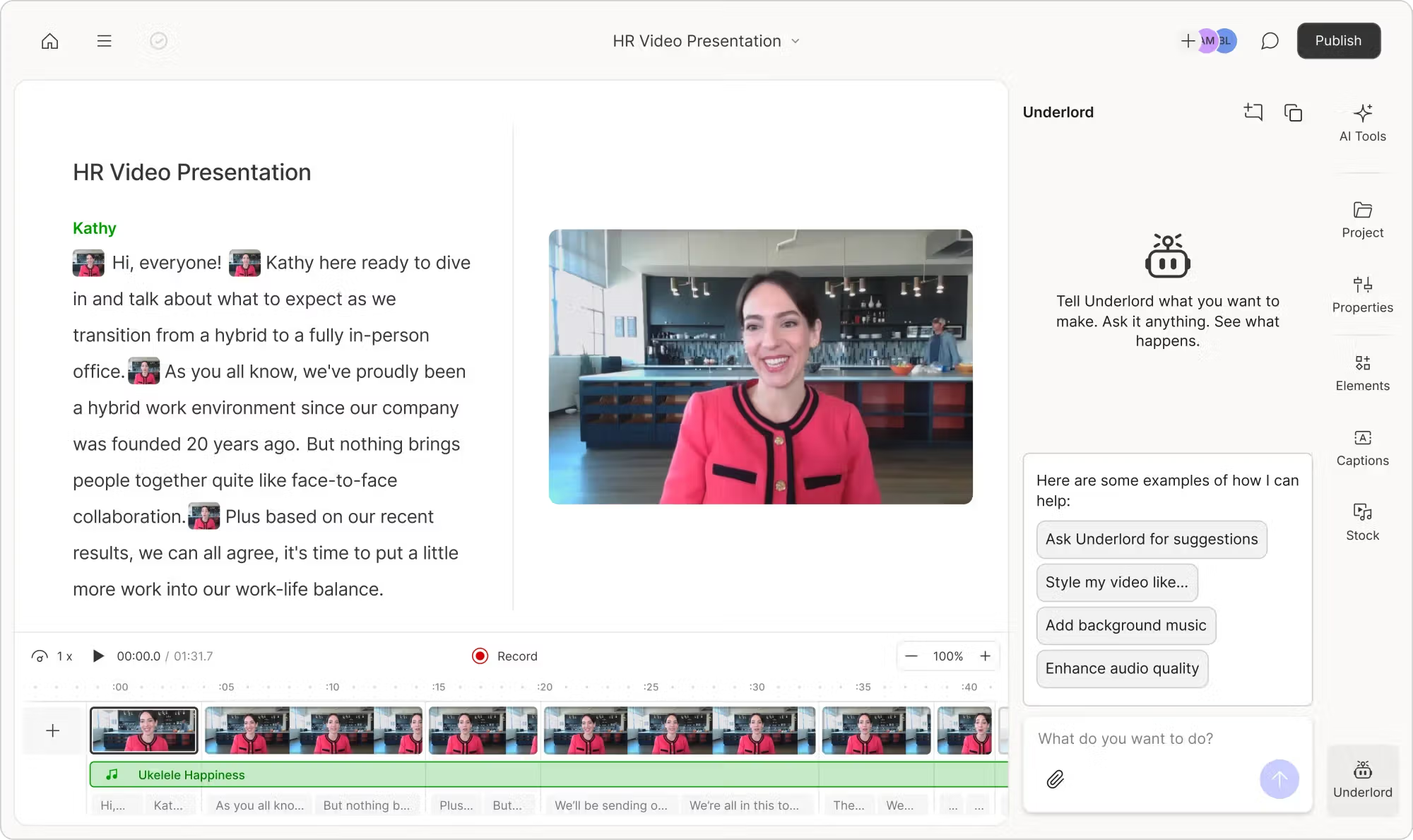
- Limited Underlord and AI-tool access
- A limited trial of AI Speech
- Audio and video export within plan restrictions
That is more useful than a demo that blocks export or asks for payment before you can experience the editor. You can take a short, imperfect recording through the complete workflow and decide whether editing words feels easier than editing a timeline.
For my broader opinion on transcription, Studio Sound, Underlord and the editing experience, read the full Descript review.
The 60-minute limit is for media—not finished output
This is the most important change compared with many older Descript reviews. Current plans use media minutes, not a separate transcription-hour allowance.
Media minutes are used when you:
- Upload an audio or video file
- Record inside a project
- Record through Descript Rooms
- Capture your screen, webcam or microphone
- Add still images, which Descript counts as one second each
The allowance measures the source you process, not the duration of the final export. Upload a 60-minute interview and cut it down to ten minutes: you still started with 60 minutes of media. The shorter finished file does not give the other 50 minutes back.
| Example project | Approximate media usage | Free-plan result |
|---|---|---|
| One 15-minute tutorial | 15 minutes | Comfortably fits |
| Four 15-minute tutorials | 60 minutes | Uses the monthly allowance |
| One 30-minute podcast | 30 minutes | Uses half the allowance before other media |
| One 60-minute interview | 60 minutes | Uses the full allowance |
| One 90-minute webinar | 90 minutes | Exceeds the included allowance |
Monthly media minutes do not roll over. If you use only ten minutes this month, you do not begin next month with 110. This makes Free better for small, regular experiments than for saving capacity and processing a large batch later.
The 100 AI credits are one-time, not monthly
The number “100” looks generous until you notice the words one-time. Paid plans receive a fresh AI-credit allowance each month. Free receives 100 credits to explore the features, and that balance does not return to 100 at the next monthly reset.
AI credits are used by features including:
- Underlord
- Studio Sound
- Remove Filler Words
- Edit for Clarity and Remove Retakes
- Green Screen and Eye Contact
- AI Speech and Regenerate
- Generated images, video, avatars and dubbing
Some costs scale with media length or the generated output. Underlord is less predictable because the agent may reason about the request and then run one or more tools. Even chatting with Underlord can use a small number of credits.
How far can 100 credits go?
There is no honest universal answer, but the official usage guide provides useful boundaries. Studio Sound and Remove Filler Words each have a maximum cost of 30 credits per file and application. Audio Regenerate is approximately 10 credits per use, while text-to-speech is approximately five credits per generated minute. Models and actions can change the final cost.
A simple test could therefore use Studio Sound on one file, run filler-word cleanup once, and still leave part of the allowance for Underlord or Regenerate. Repeating effects, experimenting with several AI models, or generating video can consume the balance much faster.
Can Free users buy a small top-up?
No. Descript currently makes media-minute and AI-credit top-ups available on Creator and Business, not Free or Hobbyist. If Free runs out, the practical options are to wait for the monthly media reset or upgrade. The one-time AI-credit balance will not replenish by waiting.
Export quality: 720p and a Descript video watermark
The Free plan caps video export at 720p. That is usable for testing, internal review and casual sharing, but visibly below the 1080p output expected for most modern YouTube videos, courses and client work.
Descript’s current dedicated MP4/GIF export documentation states that exports from a Free Drive include a Descript watermark in the bottom-right corner. Upgrading removes the watermark from future exports, but an old file must be exported again after upgrading.
What about audio exports?
Resolution and a bottom-corner watermark are video concepts. Descript supports local audio export in MP3, M4A and WAV, with channel, sample-rate, bitrate and loudness controls. The Free plan can therefore be more useful for testing an audio-only podcast workflow than for publishing professional video.
However, the 60-minute media allowance and one-time AI credits remain. Audio output avoids the visual-resolution problem; it does not remove the usage limits.
Is Descript Free enough for podcast editing?
It is enough to edit one short test episode. A 20- or 30-minute podcast lets you experience transcript correction, text-based cuts, filler-word review, Studio Sound and audio export without immediately consuming the full media allowance.
It is not enough for a weekly show. Four 30-minute raw recordings already total two media hours, before trailers, pickups or video. The AI balance also makes repeated Studio Sound and cleanup unsustainable.
If you are evaluating Descript for a podcast, use the free allowance on one representative episode rather than several tiny samples. My guide to editing a podcast in Descript shows the recommended order from multitrack setup to final export.
Is Descript Free enough for YouTube videos?
For learning the interface, yes. For a regular public channel, usually no.
The limitations stack together:
- Raw recordings consume the 60-minute allowance
- 720p is below the normal 1080p baseline
- Free video exports carry a watermark
- 100 AI credits are not replenished monthly
- Repeated Eye Contact, Green Screen, Studio Sound and clip generation spend the same balance
A ten-minute talking-head video may begin as 25 minutes of raw footage. Two similar recordings can consume most of the monthly media allowance even if each finished video is short.
If the real goal is automatically turning long YouTube videos into Shorts, Descript may not be the right first tool. See OpusClip vs Descript and my test of what OpusClip Free actually includes.
Descript Free vs Hobbyist vs Creator
| Feature | Free | Hobbyist | Creator |
|---|---|---|---|
| Monthly price | $0 | $24 monthly / $16 annual | $35 monthly / $24 annual |
| Media hours | 1/month | 10/month | 30/month |
| AI credits | 100 one-time | 400/month | 800/month |
| Video resolution | 720p | 1080p | 4K |
| Video watermark | Yes | No | No |
| Underlord | Limited | Access included | Full access and broader AI tools |
| Stock media | Limited | Limited | Unlimited royalty-free library access |
| Top-ups | No | No | Yes |
Hobbyist is the first realistic production plan for occasional solo creators. It removes the watermark, increases export quality to 1080p, gives ten media hours and refreshes 400 AI credits monthly.
Creator makes more sense for weekly YouTube or video-podcast production. It includes 30 media hours, 800 credits, 4K output, the broader Underlord toolkit, stock media and top-up access.
For the complete annual-cost comparison and top-up prices, see my Descript pricing guide.
When should you upgrade from Descript Free?
Upgrade when a specific limitation blocks a real publishing workflow—not simply because the app shows an upgrade button.
Stay on Free if…
- You are still learning text-based editing
- You have one short project to test
- 720p and a watermark are acceptable
- You only need occasional audio editing
- You do not depend on recurring AI usage
Upgrade if…
- You publish every week
- You need 1080p or 4K output
- You cannot publish with a watermark
- You regularly use Studio Sound or Underlord
- You process long podcasts, interviews or courses
My preferred sequence is to complete one representative project on Free, then pay monthly for the first production month. Only switch to annual billing after you know how many media hours and AI credits your normal workflow consumes.
My verdict: genuinely free, intentionally limited
Descript Free is not fake. You can experience the product’s most important idea—editing audio and video by editing text—and take a small project through to export. That makes it a useful evaluation plan.
It is still best understood as an extended trial. The 60-minute input ceiling arrives quickly, the 100 AI credits are a lifetime sample rather than a monthly allowance, and 720p watermarked video is difficult to use professionally.
I would use Free to answer three questions:
- Do I prefer transcript editing to a traditional timeline?
- Does transcription handle my voice, guests and vocabulary well enough?
- Which AI actions would I actually pay to repeat every month?
If the answers are positive, Hobbyist is the sensible step for light use and Creator is the stronger option for regular production. If transcript editing does not feel natural, paying for more minutes will not solve the underlying fit problem.
Frequently asked questions
Is Descript completely free?
Descript has an ongoing $0 plan, but it is not unlimited. It includes 60 media minutes per month, 100 one-time AI credits, limited AI access and video export up to 720p.
Does Descript Free add a watermark?
Yes. Descript’s current video-export help documentation says exports from a Free Drive include a Descript watermark in the bottom-right corner. Paid Hobbyist, Creator and Business plans remove it from future exports.
How many transcription hours are free in Descript?
The current plan provides 60 media minutes per month rather than a separate transcription-hour allowance. Imported or recorded media consumes that allowance whether you think of the job as transcription or editing.
Do Descript Free media minutes reset?
Yes, the 60-minute media allowance resets monthly. Unused included minutes do not roll over to the next month.
Do the 100 free AI credits reset every month?
No. The Free plan’s 100 AI credits are a one-time allowance. Paid plans provide monthly AI-credit allocations.
Is Studio Sound free in Descript?
Free users can test Studio Sound through limited AI access, but it consumes the one-time AI-credit balance. Regular use requires enough monthly credits on a paid plan.
Can I export 1080p video with Descript Free?
No. Free video export is capped at 720p. Hobbyist raises export quality to 1080p, while Creator supports 4K.
Can I use Descript Free for a podcast?
Yes, for one short test episode or occasional audio work. A regular weekly show will usually exceed the media allowance and require recurring AI credits.
Continue reading
Source note: Free-plan media and credit allowances were checked against the official Descript pricing table and the company’s plan-change documentation. Media-minute and AI-credit behavior was checked against Descript’s guide to tracking usage. The watermark statement was checked against the current guide to video exports. Plan rules can change after publication, so confirm the export preview before relying on Free for a finished deliverable.