

Castmagic pricing looks simple until you notice what it actually charges for: a growing library of transcribed hours, not a monthly bucket of AI credits. That distinction changes the answer for almost everyone. A short solo podcast can sit comfortably on Hobby; a weekly show with a permanent archive will reach Starter much sooner than the headline monthly number suggests.
My practical answer is this: Hobby is the plan to prove the workflow, Starter is the sensible plan for regular publishing, Team is for shared production, and Business & Scale is for studios or platforms. I would not upgrade because Castmagic can generate a long list of assets. I would upgrade when the source library, collaborators, or workflow controls justify the bill.
For a solo creator, start with Hobby if your recordings total less than 30 hours in the library and you do not need API access. If you publish a 45–60 minute episode every week and keep the archive, Starter is the more honest choice. Team only earns its price when other people need to work inside the account or your archive is moving toward hundreds of hours.
Last fact-checked: August 17, 2026. Prices are in USD and reflect the public Castmagic pricing page. Annual-equivalent prices are labeled; Castmagic can change billing displays, taxes, and promotional offers, so verify the checkout screen before subscribing.
Castmagic pricing at a glance
Castmagic currently presents three self-serve plans—Hobby, Starter, and Team—plus a custom Business & Scale tier. The site shows a monthly equivalent when you select annual billing, then charges the annual amount. I use the annual total below because that is the cash commitment that actually matters.
| Plan | Price shown annually | Transcribed library total | Workspace and team limits | My read |
|---|---|---|---|---|
| Hobby | $19/mo equivalent $239/year | 30 hours | Up to 3 Spaces, max 3 seats, 50 GB storage | Best for testing or a short solo show |
| Starter | $48/mo equivalent $579/year | 100 hours | Up to 10 Spaces, max 5 seats, 250 GB storage | Best default for consistent weekly publishing |
| Team | $139/mo equivalent $1,669/year | 400 hours | Up to 25 Spaces, 5 seats included, 1 TB storage | For multiple shows, clients, or collaborators |
| Business & Scale | From $699/mo custom volume | Custom | Custom seats, storage, implementations, and support | For studios, platforms, and publishers |
All three self-serve plans list 60+ supported languages, AI strategist and Magic Chat, custom prompts, editable outputs, unlimited regenerations, media clipping, and audiogram generation. The differences that affect your budget are the library total, storage, Spaces, seats, API access, onboarding, and support level—not a small monthly counter for every blog draft.
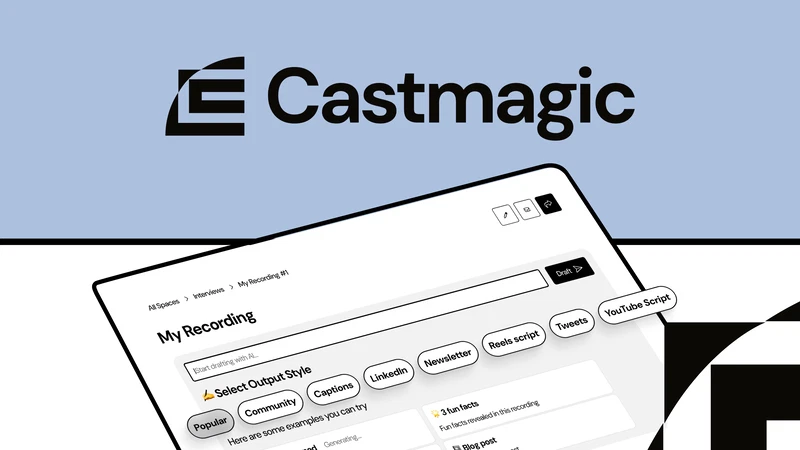
The part of Castmagic pricing most people misunderstand
Castmagic describes its transcription allowance as a growing library total. It is not 30 new hours that reset every month. Once you add episodes to the library, those hours remain part of the archive until you manage the account or buy more capacity. That is excellent for a searchable content library, but it means you should budget for the recordings you plan to keep—not just this month’s uploads.
| Example schedule | Approx. source hours per year | Plan I would start with | Why |
|---|---|---|---|
| 20-minute episode every week | 17.3 hours | Hobby | Fits inside the 30-hour library with room for a few extras |
| 45-minute episode every week | 39 hours | Starter | Hobby would be tight once you keep the full archive |
| 60-minute episode every week | 52 hours | Starter | Leaves room for guest tests, bonus episodes, and retakes |
| Two 60-minute episodes every week | 104 hours | Team or custom | Exceeds Starter’s 100-hour library before extra material |
These are planning examples, not a promise that every upload consumes capacity in exactly the same way. The safe method is to estimate the media you will actually transcribe, then add a buffer for retakes, guest checks, bonus episodes, and imported client files.
Hobby: a good test, not always a forever plan
$19/month equivalent when billed annually · $239/year · 30 library hours
Hobby is the plan I would recommend to a solo podcaster, coach, or YouTube creator who wants to validate the workflow without making a large commitment. It includes up to three Spaces, a maximum team size of three seats, 50 GB of storage, unlimited file uploads subject to the 10 GB file-size limit, core AI content features, public sharing, media clipping, audiograms, and the basic integrations most individual creators need.
The trap is assuming that 30 hours means “30 hours every month.” A 20-minute weekly show uses roughly 17 hours in a year, so Hobby can be perfectly sensible at that pace. A 75-minute weekly show uses about 65 hours in a year before bonus content, which makes Hobby a temporary test rather than a stable archive plan.
I would choose Hobby when…
- You publish one short show or a few videos each month.
- You are still learning which Castmagic outputs you will actually use.
- You do not need API access, an onboarding call, or more than three seats.
- You are comfortable upgrading or buying additional hours if the workflow sticks.
I would not choose Hobby simply because it is the cheapest plan. If you know you will publish a full hour every week and keep every source file, starting at Starter avoids the distraction of moving the archive halfway through the year.
For the output quality and workflow details, see my Castmagic review. I found the first drafts useful as structured raw material, but I still rewrite the voice, check claims, and add the links myself.
Starter: the practical tier for weekly publishing
$48/month equivalent when billed annually · $579/year · 100 library hours
Starter is where Castmagic starts to feel like a content home rather than a clever generator. You get up to 10 Spaces, a maximum team size of five seats, 250 GB of storage, an onboarding call, and API access in addition to the core AI and Studio features. That is a much better fit for a weekly podcast, a small agency, or a creator who is building an archive instead of deleting old episodes.
The extra seats are useful even if you are still a “team of one.” A virtual assistant can organize titles, a producer can prepare clips, and a writer can edit the blog draft without needing access to every project. I would value those handoffs more than another batch of prompt templates.
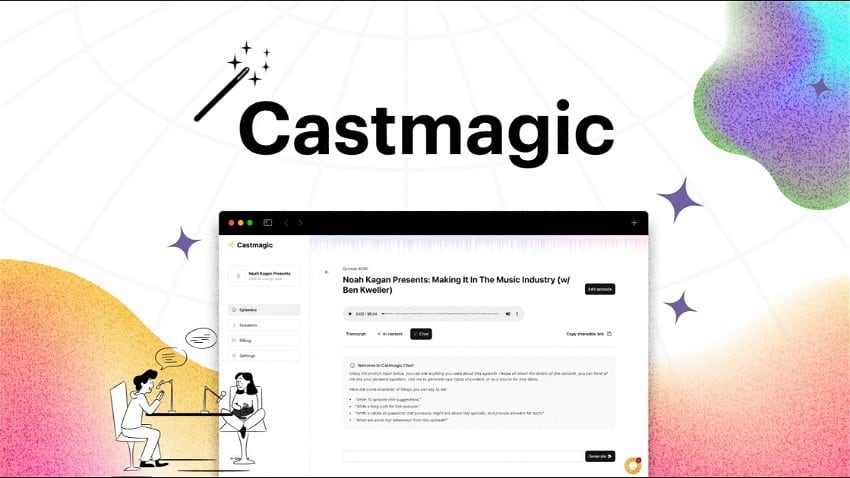
Team and Business & Scale
Team: for collaboration and a serious archive
$139/month equivalent when billed annually · $1,669/year · 400 library hours
Team includes five seats, up to 25 Spaces, 1 TB of storage, priority support, an onboarding call, and the same core AI and Studio features. The official pricing page also lists a larger maximum team size and additional seats at a separate charge. For a production group working across multiple shows or clients, the 400-hour library and workspace separation are the real reasons to pay—not the label “Team.”
I would move to Team when one of these becomes true: the archive is approaching 100 hours, several people need access, you need more than ten Spaces, or API-based workflows have become part of production. If none of those describe your operation, Starter is probably enough.
Business & Scale: a sales conversation, not a casual upgrade
Business & Scale is listed from $699 per month, with the pricing page also displaying a $999 per month reference before the annual discount. It adds custom transcription volume, more seats and storage, custom implementations, volume discounts, SLA options, and dedicated support for studios, platforms, and publishing houses.
I would not choose this plan because a feature comparison table makes it look impressive. I would ask for a quote only after calculating the cost of migrating a large archive, the number of people who need access, storage requirements, and whether dedicated support or an SLA is genuinely valuable to the business.
The real cost for different workflows
Castmagic’s annual price is easy to compare; its capacity model is the part that needs a little arithmetic. Here is how I would think about the common cases.
Short solo podcast
For a 20-minute weekly show, I would start with Hobby. It leaves some room inside the 30-hour library for a few interviews or bonus uploads, and it keeps the initial annual commitment at $239. I would still monitor the library from the first month instead of assuming it will last forever.
Weekly video podcast or webinar
For a 45–60 minute weekly show, I would start with Starter. The 100-hour library gives you room for the archive, while the extra Spaces and seats make it easier to hand off drafts. If your main need is editing video rather than writing the content package, compare the cost with Descript before buying both.
Multiple shows or client content
For two shows, client recordings, or a small content agency, Team becomes easier to justify. The 400-hour library, 25 Spaces, 1 TB storage, and priority support remove several operational bottlenecks at once. If your usage is only temporarily high, ask about buying additional hours before committing to a permanent tier jump.
Annual versus monthly billing
Castmagic currently advertises saving 30% with annual billing. The annual-equivalent prices are attractive, but the annual totals—$239 for Hobby, $579 for Starter, and $1,669 for Team—are the amounts I would put in a real budget. They are billed upfront, not paid as twelve independent monthly experiments.
I would use annual billing when the workflow is already part of my publishing routine and the library math is clear. I would use monthly billing while testing a new show, validating client demand, or deciding whether Castmagic is actually replacing enough manual work. Castmagic says you can upgrade or downgrade when needed, but always check the current cancellation and billing terms before purchasing.
When Castmagic is the wrong first purchase
Castmagic is a writing-first content workspace. It can create media clips and audiograms, but it is not the tool I would choose for precise timeline editing or a high-volume short-form queue.
The mistake is paying for two overlapping tools before you know which task is actually slowing you down. I would buy Castmagic for the written package, not because it has a long feature list.
The workflow that makes the subscription worthwhile
Castmagic saves the most time when you use it as a repeatable production step rather than a button that generates a hundred disconnected drafts.
Upload the cleanest source
Use the edited master or a reliable recording. Fix obvious speaker names, product names, and audio problems before you ask for promotional copy.
Approve one factual brief
Start with a summary, key points, quotes, and timestamps. This gives you a source of truth before you generate the blog, newsletter, or social posts.
Generate a focused content package
Ask for the assets you will actually publish: show notes, one article outline, one newsletter, and a short set of social posts with the same angle.
Edit for voice and accuracy
Rewrite generic openings, verify every claim, add internal links, and remove anything that sounds like a transcript wearing a marketing costume.
Archive the approved version
Keep the final transcript, source link, and published URLs in a consistent Space. The archive is what makes Castmagic more valuable over time.
Which Castmagic plan should you choose?
- Choose Hobby if you are testing the workflow, publish short or occasional recordings, and can stay below 30 library hours.
- Choose Starter if you publish weekly, keep the archive, need an onboarding call or API access, or want a producer/VA working in the same account.
- Choose Team if you manage multiple shows or clients, need up to 25 Spaces, require hundreds of library hours, or need priority support.
- Ask about Business & Scale if you are a studio, platform, or publisher with custom volume, storage, security, or support requirements.
For most individual creators, my answer is not “buy the highest tier you can afford.” It is: calculate your annual source hours, decide whether you need other people inside the workspace, and then choose the smallest plan that will not interrupt the publishing routine.
Castmagic pricing FAQ
Does Castmagic have a permanent free plan?
The public pricing page does not advertise an ongoing $0 plan. Castmagic invites new users to try the product, but I would treat that as a trial or sign-up path rather than a permanent free tier. If you need a genuine free editor, compare the free plan in our Descript guide.
Are Castmagic AI outputs limited by plan?
Castmagic lists unlimited AI content, regenerations, media clipping, and audiogram generation across the self-serve plans. The main number to budget is the transcribed library total: 30 hours on Hobby, 100 on Starter, and 400 on Team.
What happens when I need more than my plan’s library hours?
Castmagic says you can buy more hours at any time, and you can upgrade or downgrade as your needs change. If the extra usage is temporary, compare the cost of additional hours with a full tier upgrade; if the usage is permanent, the larger plan is usually easier to manage.
Is Starter worth the jump from Hobby?
For a weekly 45–60 minute show, usually yes. Starter gives you 100 library hours, more Spaces, more storage, up to five seats, an onboarding call, and API access. For an occasional 20-minute show, Hobby is likely enough.
Is Castmagic a video editor?
It includes media clipping and audiograms, but I would not use it as my only editor for a carefully cut YouTube video. Use Descript for transcript-based editing or OpusClip/Vizard for a larger short-form queue, then use Castmagic for the written content layer.
Is Castmagic worth the price?
It can be, if every episode otherwise creates several hours of repetitive writing work. It is not good value if you only need a transcript, occasional captions, or one-off summaries. Buy the time saved and the archive—not the novelty of seeing many drafts appear at once.
Start with Hobby while you prove the workflow. Move to Starter when the weekly calendar and the archive make the decision obvious. Choose Team when collaboration and hundreds of source hours are real requirements. Castmagic pricing makes sense when it becomes part of a repeatable content system; it is hard to justify as an expensive transcript button.
Sources and fact-check note: I checked the public Castmagic pricing page and Castmagic features page on August 17, 2026. Prices, plan names, limits, and interface details can change, so confirm the current plan and billing total before subscribing.