

Castmagic and Descript both begin with recorded audio or video, both create transcripts, and both now include AI tools. That makes them look interchangeable on a comparison table. They are not.
Descript is where I would take a recording that still needs work. It lets me cut dialogue by editing text, improve weak audio, remove filler words, add captions and export the finished episode. Castmagic makes more sense after the recording is finished, when I need show notes, quotes, newsletters, blog drafts and social posts.
Last checked: August 14, 2026. Product features and plan details were verified against the current Castmagic and Descript websites.
Quick verdict: Choose Descript if your main job is recording and editing a podcast or talking-head video. Choose Castmagic if the episode already exists and your bottleneck is turning it into written content. For a repeatable podcast workflow, using Descript first and Castmagic second is reasonable—but most solo creators should prove that one tool is insufficient before paying for both.
The Fundamental Difference
The cleanest way to understand these tools is to place them at different points in a production line:
Raw recording → Descript → finished episode → Castmagic → written distribution
That sequence is not mandatory, but it explains the centre of gravity of each product.
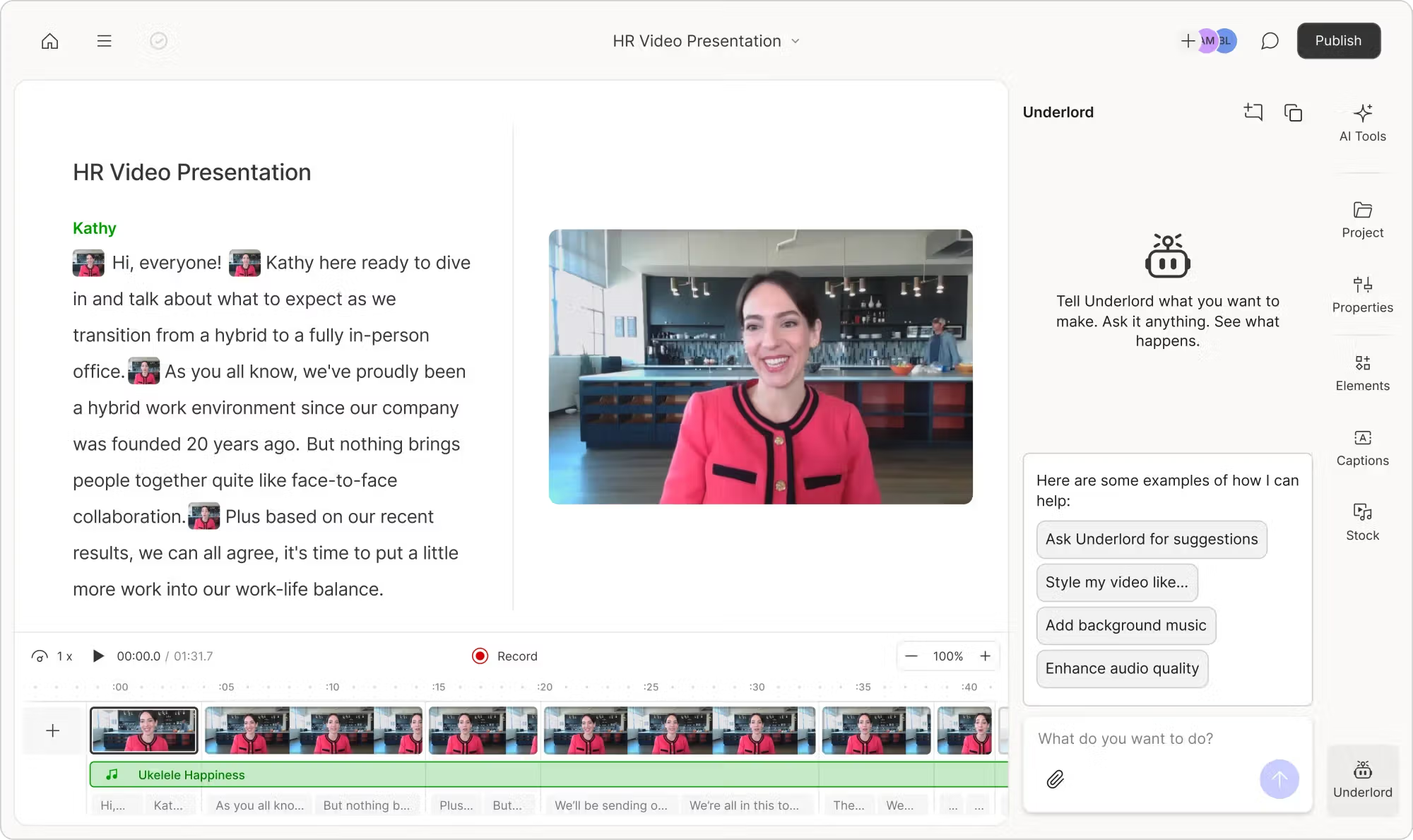
Descript edits the recording
- Record remote or local content
- Edit audio and video through the transcript
- Remove filler words, retakes and long gaps
- Improve speech with Studio Sound
- Add captions, visual layers and music
- Export the finished podcast or video
Castmagic multiplies the ideas
- Import finished audio or video
- Create a searchable transcript
- Generate summaries and show notes
- Extract quotes, stories and timestamps
- Draft newsletters, blogs and social posts
- Reuse templates and query recordings with Magic Chat
There is overlap. Descript can create clips, show notes and YouTube descriptions. Castmagic can remove filler words from a transcript and includes media clips and audiograms. The difference is depth: Descript gives you much more control over the finished media; Castmagic gives you a broader system for turning its ideas into written assets.
How I Compared Castmagic and Descript
I compared them around the same type of source used in my broader repurposing workflow: a clear, approximately 20-minute English talking-head recording.
I treated the source as two separate jobs.
- Production job: correct the transcript, remove an unwanted section, clean the audio, add captions and prepare the recording for export.
- Distribution job: turn the main ideas into show notes, key takeaways, quotes, a newsletter, a LinkedIn post and a blog outline.
This is more revealing than asking which product has “AI.” The real question is how much manual work remains for the job you actually need to finish.
Testing note: The ratings in this article are editorial assessments of workflow fit, not statistical claims about universal accuracy. Results change with audio quality, accents, overlapping speakers, source structure and the prompts used.
Castmagic vs Descript: Results at a Glance
| Category | Castmagic | Descript | Winner |
|---|---|---|---|
| Transcription | Strong transcript-centred content workspace with 60+ advertised languages | Strong editable transcription with 25 listed languages and multitrack support | Depends |
| Edit a full recording | Basic media clipping rather than a full production editor | Text-based multitrack audio and video editing | Descript |
| Audio cleanup | Transcript cleanup and basic media tools | Studio Sound, filler-word removal, gap shortening and retake removal | Descript |
| Show notes and summaries | Central use case with reusable outputs and prompts | Available, but not the main organisational layer | Castmagic |
| Blogs and newsletters | Broader output library, custom prompts and brand voice tools | Can help through Underlord, but workflow is media-first | Castmagic |
| Ask questions about a recording | Magic Chat and semantic library search are core features | Underlord works as a broader AI co-editor | Castmagic |
| Create editable short clips | Fast clips and audiograms with limited production depth | Create Clips plus transcript and timeline editing | Descript |
| Fastest first output | Simple when the source is already finished | More controls and more production decisions | Castmagic |
| Free evaluation | No permanent free plan clearly listed on the pricing page | Free plan with one media hour and limited AI access | Descript |
Transcription: Similar Starting Point, Different Destination
Both products need a reliable transcript because nearly every later feature depends on it. With clear conversational speech, either can provide a useful working document. I would still check names, product terms, figures, dates and moments with overlapping speech before publishing anything.
Castmagic uses the transcript as a knowledge source. It divides content by speaker, keeps timestamps attached and feeds summaries, quotes, custom outputs, Magic Chat and semantic search. Its website currently advertises support for more than 60 languages.
Descript uses the transcript as an editing interface. Delete a sentence in the document and the corresponding audio or video is removed. Its current pricing table lists transcription in 25 languages, speaker detection and multitrack transcription.
For a multilingual content library, Castmagic has the broader advertised language list. For a podcast with separate synchronized speaker tracks, Descript’s multitrack workflow is the more relevant advantage.
I would not choose between them based on a vendor accuracy percentage. Upload one difficult real episode containing your normal microphones, accents and terminology. The correction time on that file matters more than a best-case benchmark.
Podcast and Video Editing: Descript Wins Easily
Descript’s defining idea is still excellent: spoken content can be edited like a document. For dialogue-heavy video and podcasts, that removes much of the friction of searching a traditional timeline for the exact start and end of a sentence.
In Descript, I can:
- Cut or rearrange dialogue through the transcript
- Work with multiple audio and video tracks
- Remove retakes and repeated words
- Shorten pauses
- Add captions and change their appearance
- Place images, video, text and music into the project
- Use a timeline when text editing is not precise enough
- Export a complete finished episode
Castmagic’s Studio can create clips and audiograms, but I would not use it to replace a proper podcast editor. Cleaning a transcript by removing filler words is not the same as making those edits in the mastered audio and reviewing every cut.
If your episode has false starts, weak audio, several cameras or sections that need restructuring, Descript is the clear choice. Castmagic becomes useful after those production decisions are complete.
Audio Cleanup: Descript Has the Practical Tools
Studio Sound is one of Descript’s strongest reasons to exist. It is designed to reduce background noise and enhance spoken audio without making a non-technical creator learn compression, EQ and noise-reduction settings.
Descript also connects audio cleanup to structural editing. You can remove filler words, shorten word gaps, cut retakes and regenerate a small piece of speech instead of recording the whole sentence again.
I would preview these changes rather than apply everything blindly. Removing every “um” can make natural conversation sound overly tight, and aggressive audio enhancement can produce an artificial texture on a poor source. The point is control: Descript gives you a place to listen, undo and refine.
Castmagic can provide a cleaned transcript and derive polished written assets from messy conversation. It is not where I would repair room echo, balance tracks or make detailed audible cuts.
Content Repurposing: Castmagic Goes Much Further
Once the recording is finished, the advantage changes sides.
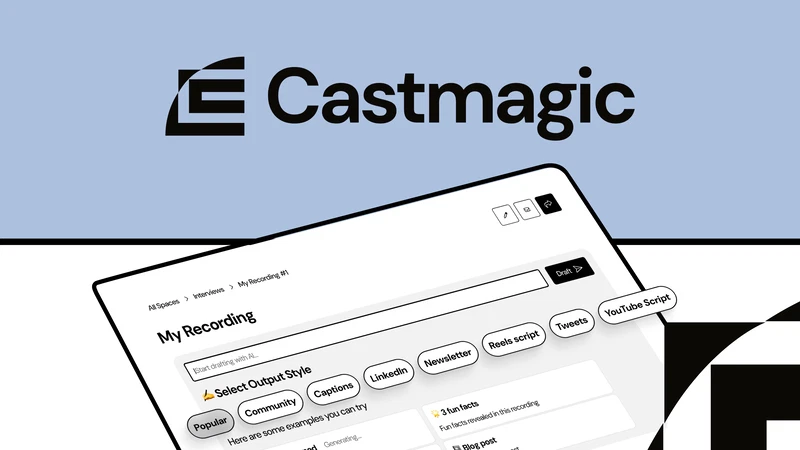
Castmagic is organised around turning one source into a collection of outputs. The current feature set includes summaries, show notes, long-form outputs, newsletters, LinkedIn posts, quotes, social content, custom prompts, brand voice tools and a campaign builder.
The most useful pattern is not “generate everything.” It is to build a small set of formats you genuinely publish every week:
- Episode summary and show notes
- Five timestamped quotations
- One newsletter
- One LinkedIn post
- Three short captions
- One blog outline based only on the recording
Descript is not incapable of repurposing. Underlord can create clips, show notes and descriptions, and the transcript is available as source context. I simply find the workflow less purpose-built for managing a large set of written derivatives from each episode.
Castmagic outputs are still drafts. Short summaries and show notes usually stay close to the source; a full blog article introduces more editorial decisions and needs more rewriting. My Castmagic review goes deeper into where those drafts saved work and where they became generic. For the editing side of the decision, my Descript review covers transcript-based cuts, audio cleanup and export.
Magic Chat vs Underlord
The names make both features sound like ordinary chatbots, but their jobs reflect the larger products.
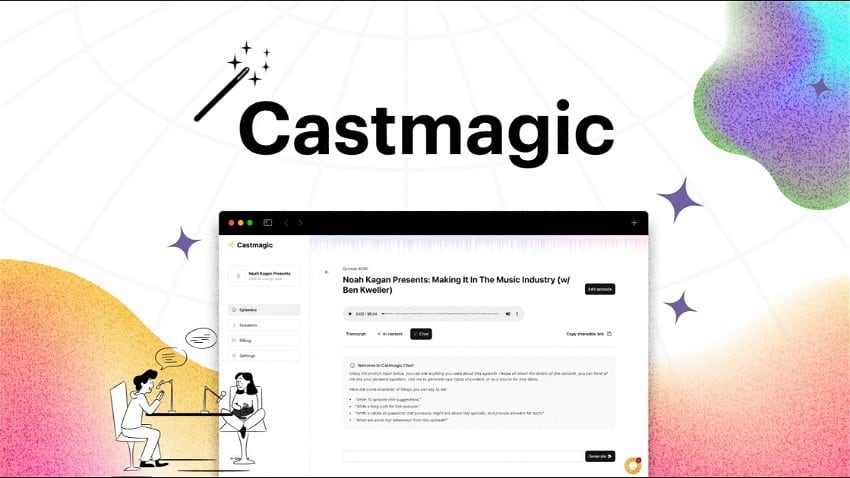
Magic Chat: interrogate the content
Magic Chat is strongest when I ask questions about a recording or request a narrow derivative:
- Find the three clearest recommendations and include timestamps.
- Turn the second idea into an email without adding new claims.
- List objections raised by the guest and how they answered them.
- Find every story related to the first customer.
- Create a LinkedIn post around one argument instead of summarising the episode.
Underlord: change the project
Underlord is Descript’s AI co-editor. It can help edit for clarity, remove filler words and retakes, improve audio, add chapters, create clips and assist with visual production. Its value is that the actions happen inside the media project rather than ending as detached text.
My preference depends on the request. If I ask, “What did the guest say about pricing?”, Magic Chat is the more natural environment. If I ask, “Remove the weak takes and improve the sound,” Underlord belongs closer to the job.
Neither should be allowed to make unchecked final decisions. Review factual summaries from Magic Chat and watch or listen through changes made by Underlord before export.
Which Is Better for Short Clips?
Between these two, I would choose Descript. It gives me a transcript, timeline, captions, canvas and media layers to repair the result. Castmagic’s clips are useful as part of a podcast promotion package, especially when an audiogram is sufficient, but video editing is not its deepest capability.
Neither is my first choice if the only goal is to upload a long video and automatically receive vertical Shorts. OpusClip is more automation-first, while Vizard provides a stronger browser editor for generated clips.
You can see that distinction in my OpusClip vs Descript comparison. The OpusClip review tests automatic selection, while the Vizard AI review focuses on how many generated clips remained usable after editing.
Which Is Easier to Learn?
Castmagic is easier for the first result. Import a recording, wait for the transcript and choose an output. A beginner can produce show notes without understanding audio tracks, scenes or timelines.
Descript is easier than a traditional professional editor for dialogue, but it still asks you to understand a project. The transcript feels familiar; the interaction between script, timeline, scenes, layers, AI credits and media hours takes longer to learn.
The comparison changes after the first week:
- Castmagic’s long-term learning curve is mostly prompt design, brand voice and deciding which outputs deserve a repeatable template.
- Descript’s long-term learning curve is editing judgment: where to cut, how much cleanup sounds natural and when to use the timeline instead of the transcript.
So Castmagic is easier to operate. Descript gives you more control because the underlying task is more complex.
Castmagic vs Descript Pricing
The pricing models are different enough that the headline monthly fee does not tell the whole story.
Castmagic pricing
| Plan | Monthly billing | Annual rate shown | Transcribed library total |
|---|---|---|---|
| Hobby | $29/month | $19/month equivalent | 30 hours |
| Starter | $69/month | $48/month equivalent | 100 hours |
| Team | $199/month | $139/month equivalent | 400 hours |
| Business & Scale | From $999/month | From $699/month equivalent | Custom |
Castmagic describes those hours as a growing library total rather than a monthly allowance. Hobby, Starter and Team include unlimited AI content regenerations, media clipping and audiograms, although storage, spaces, seats, API access and support differ.
Descript pricing
| Plan | Monthly billing | Annual rate shown | Usage |
|---|---|---|---|
| Free | $0 | $0 | 1 media hour; limited AI tools |
| Hobbyist | $24/person/month | $16/person/month | 10 media hours and 400 AI credits monthly |
| Creator | $35/person/month | $24/person/month | 30 media hours and 800 AI credits monthly |
| Business | $65/person/month | $50/person/month | 40 media hours and 1,500 AI credits monthly |
Descript’s media hours are used when audio or video is imported or recorded. AI-powered actions such as Underlord, Studio Sound, filler-word removal, Eye Contact and AI speech consume AI credits. Unused plan media minutes do not roll over; paid top-ups can remain available for up to one year.
Check the live Castmagic pricing page and Descript pricing page before purchasing. Both companies have changed plan structures, and many third-party comparisons still quote older prices.
Which Is Better Value?
For a solo creator who needs to edit media, Descript Hobbyist is easier to justify because it costs less and the Free plan lets you test the actual workflow first.
Castmagic becomes good value when written distribution is already a recurring cost. If every weekly episode needs show notes, an email and several social posts, the system can replace repetitive setup. If you publish one recording occasionally, copying its transcript into a general AI assistant may be enough.
Do not compare Castmagic’s lifetime-style library hours directly with Descript’s monthly media hours. They measure different things on different reset schedules.
Which Should You Choose?
Choose Castmagic if:
- Your podcast or video is already edited before upload.
- You repeatedly create show notes, newsletters and social posts.
- You want to search a library of recordings for stories and quotes.
- Custom prompts and reusable brand outputs matter more than media control.
- Your bottleneck is distribution, not production.
Choose Descript if:
- You need to record or edit the full podcast or video.
- You want to cut dialogue by editing a transcript.
- Audio cleanup and filler-word removal are important.
- You need captions, layers, a timeline and export control.
- You want a permanent Free plan to test the workflow.
Use both if:
- You publish at least weekly.
- You edit your own episodes in Descript.
- Each finished episode must become several written deliverables.
- The saved time is worth two subscriptions.
A sensible combined workflow is:
- Record and edit the episode in Descript.
- Correct names and terminology in the transcript.
- Export the finished audio or video.
- Import that final version into Castmagic.
- Generate show notes, quotes, email and social drafts.
- Fact-check and rewrite before publishing.
If short video is also part of the plan, add a dedicated clipper only after measuring whether Descript’s Create Clips is insufficient. My one-video-to-10-social-posts workflow shows how I separate the clip and written-content tracks instead of expecting one application to do every job.
Final verdict: There is no honest universal winner. Descript wins production; Castmagic wins written repurposing. For most solo podcasters, Descript should come first because a publishable episode is the prerequisite for everything else. Add Castmagic when creating the same supporting content after every episode becomes a measurable bottleneck—not simply because its list of outputs looks impressive.
Frequently Asked Questions
Is Castmagic better than Descript?
Castmagic is better for turning finished recordings into show notes, newsletters, blog drafts and social content. Descript is better for recording, cleaning and editing the original podcast or video.
Can Castmagic edit podcasts?
Castmagic can transcribe recordings and create clips or audiograms, but it is not as capable as Descript for restructuring full episodes, cleaning audio, working with multiple tracks and exporting a polished production.
Can Descript repurpose podcast content?
Yes. Descript can create clips, show notes, descriptions and other assets with Underlord. Castmagic offers a more extensive, reusable workflow for producing and managing multiple written formats from each recording.
Which is better for podcast show notes?
Castmagic is my preference for recurring show notes because summaries, timestamps, quotes and custom content templates are central to the product. Descript remains useful when the show notes need to stay inside the editing workflow.
Which is better for YouTube talking-head videos?
Use Descript if the full video needs editing, audio cleanup, captions or visual changes. Use Castmagic if the video is finished and you want to convert its ideas into blogs, emails and social posts.
Which tool has the lower learning curve?
Castmagic is faster for generating a first written output. Descript takes longer because it exposes more editing controls, although text-based editing remains easier for many beginners than a traditional professional timeline.
Do I need both Castmagic and Descript?
Usually not at first. Start with the tool that addresses your largest bottleneck. A weekly podcast operation may benefit from both; an occasional creator probably will not recover the cost of two subscriptions.
Does Castmagic have a free plan?
Its current pricing page does not clearly list a permanent free tier. Descript currently offers a Free plan with one media hour and limited AI use, making Descript easier to evaluate without paying.
Are Castmagic and Descript good for automatic Shorts?
Both can create clips, but OpusClip and Vizard are more focused on automatically finding and formatting vertical short-video moments from long recordings.
Product facts checked on August 14, 2026 against the official Castmagic features page, Castmagic pricing page, Descript podcasting page, Descript pricing page and Descript usage documentation.