

PicMonkey makes more sense when you begin with a photograph, not a blank template. I tested it with one deliberately imperfect product image: flat light, a distracting background and enough empty space to become an ad if the edit worked.
My goal was not to make the photograph look expensive. It was to see whether one non-designer could move from cleanup to a finished promotional graphic without bouncing between Photoshop and a template tool. PicMonkey did that job better than its quieter reputation suggests—but its subscription gate changes the value calculation.
The product-photo test
Before
Busy background, weak contrast, inconsistent colour and no obvious place for copy.
After
Clean crop, isolated subject, corrected tone, restrained shadow and a reusable ad layout.
I first corrected exposure and colour rather than reaching for a dramatic filter. The basic controls were approachable, while brush-based adjustments gave me more local control than I normally expect in a beginner web editor. PicMonkey’s layers matter here: the photo, shadow, shapes and text remain separate, so the design can be revised instead of flattened into a one-off image.
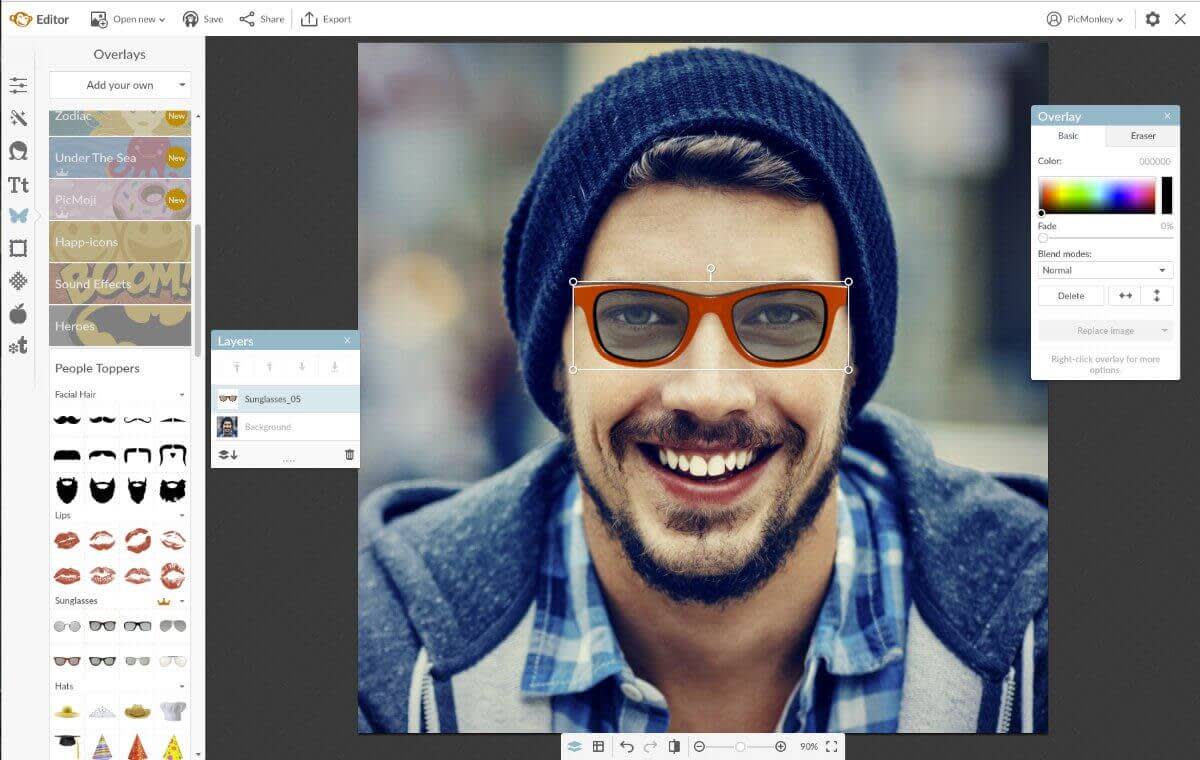
The background remover was the biggest time saver, although PicMonkey notes that it is unavailable during the trial. That is frustrating because edge quality is exactly what a buyer should inspect. With the subject isolated, I built one square ad and used Smart Resize for a second format. Smart Resize is a Pro feature, and it is the kind of unglamorous tool that justifies an upgrade when campaigns repeat.
Where PicMonkey is genuinely useful
Photo-first design
Touch-up, effects, brush edits, crop and layers make it more capable than an editor built only around templates.
Small brand systems
Pro includes a Brand Kit and custom font uploads, enough for a solo business that needs repeatable colours and type.
Fast campaign variants
Smart Resize and reusable Hub projects reduce the cost of adapting a polished master visual.
This makes PicMonkey a good companion to a repurposing workflow. After using the process in my one-video-to-ten-post guide, I could use PicMonkey for the carousel, thumbnail and product-led promotional image while video tools handle the clips.
It is less relevant if your main asset is footage. For captions, timeline edits and social-video templates, read the VEED review. For finding vertical moments automatically, the OpusClip review addresses a different bottleneck entirely.
The limitations I would not ignore
There is no practical free export workflow
PicMonkey lets you create and save work in Hub before subscribing, but the official pricing page says you need a subscription to download or share from the web editor. That makes the seven-day trial the real evaluation route. Set a reminder before renewal and test the export formats you actually need.
Basic is intentionally basic
Basic includes 1GB storage and JPG/PNG export. Pro adds unlimited storage, Smart Resize, one Brand Kit, background removal, premium stock, PDF export and custom fonts. Most serious marketing workflows land on Pro, not Basic.
It is not a professional retouching replacement
PicMonkey makes selective edits accessible, but demanding mask work, colour management and complex composites still belong in a deeper editor. Its sweet spot is polished marketing photography, not pixel-level production.
PicMonkey pricing in plain English
Basic: $7.99 monthly or $72 annually. Best for simple photo edits and JPG/PNG output.
Pro: $12.99 monthly or $120 annually. This is the plan I would actually consider because it unlocks resize, background removal, Brand Kit, PDF and unlimited storage.
Business: aimed at teams, with multiple Brand Kits, permissions, comments, searchable tags and real-time co-editing.
If you need an entire brand package—logo, mockups, animation and a simple site—PicMonkey is too narrow. My Renderforest review tests that broader promise. For static social graphics where the original photo needs little work, a lighter tool may be faster; browse the site’s Design & Branding directory before paying for photo features you will not use.
Who should use PicMonkey?
I would recommend it to product sellers, bloggers, photographers and social managers who routinely start with their own images. The value comes from keeping correction, cut-out, layout and brand formatting in one understandable workspace.
I would skip it if you primarily make charts or presentations—the choice in our Piktochart vs Visme comparison will be more relevant—or if you need only three or four simple template graphics a month. For distributing the finished assets, our publishing and growth tools complete the stack.
My final take
PicMonkey turned my imperfect photo into a convincing ad without making me think like a professional retoucher. That is the product’s honest advantage. The finished image was not difficult to create, but the process retained enough control to feel mine rather than generated by a template.
The catch is simple: evaluate Pro, not the theoretical free experience. If background removal, resize and brand assets save time every week, $120 a year is defensible. If you mainly need text over stock photography, PicMonkey is more editor than you need.
Frequently asked questions
Can I use PicMonkey for free?
You can create and save projects, but the web editor requires a subscription when you want to download or share them.
Is PicMonkey better than Canva for photo editing?
PicMonkey generally offers a more photo-focused brush, touch-up and layer workflow. Canva is broader for templates, apps and multi-format creation.
Which PicMonkey plan is best?
Pro is the sensible plan for active creators because the most useful workflow features—Smart Resize, background removal, Brand Kit and PDF export—sit there.
Pricing and product details last fact-checked August 26, 2026.